Migrating this site to EmDash
This site has changed CMS more times than I can count since 2003. This time I moved to EmDash on Cloudflare, and the reason is that most of my building now happens alongside an AI agent.
Read more Roger Stringer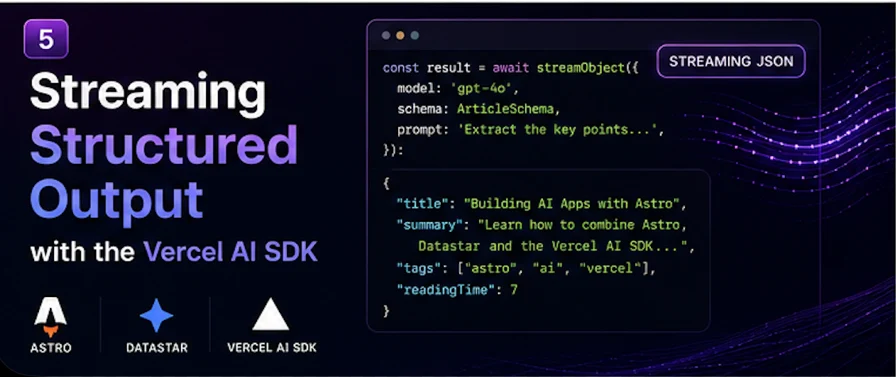
So far in this series we've streamed text — the primitive, a summarizer, a chat widget, and an agent with tools. But a lot of the most useful AI features aren't freeform text at all — they're structured. A recipe with a title, ingredients, and steps. A parsed invoice. A set of generated options. And the magic trick that makes those feel fast is streaming the structure as it generates, so the UI fills itself in field by field instead of popping in all at once after a long pause.
This is where people used to reach for streamObject. In the Vercel AI SDK v6 that helper is deprecated — the new home for structured generation is streamText with an output specification. Let's use it to build a recipe card that writes itself into the page live: title first, then the ingredients as they're decided, then the steps. (On brand for me — I once built a whole AI recipe generator.)
We'll reuse the datastarResponse helper from the first post.
Structured output starts with a schema. We use Zod, and the AI SDK validates the model's output against it.
// src/lib/schemas.ts
import { z } from "zod";

export const recipeSchema = z.object({
  title: z.string().describe("A short, appealing recipe name"),
  servings: z.number().describe("Number of servings"),
  ingredients: z.array(z.string()).describe("Each ingredient with quantity"),
  steps: z.array(z.string()).describe("Ordered preparation steps"),
});
Those .describe() calls aren't decoration — they're instructions the model reads to fill each field correctly. Treat them like a spec.
Here's the structured-streaming endpoint. The key piece is experimental_output: Output.object(...), and then iterating the partial output stream — which hands you the object progressively, more complete with each chunk.
// src/pages/api/recipe.ts
import type { APIRoute } from "astro";
import { streamText, Output } from "ai";
import { openai } from "@ai-sdk/openai";
import { datastarResponse } from "../../lib/datastar";
import { recipeSchema } from "../../lib/schemas";
export const maxDuration = 30;
export const POST: APIRoute = async ({ request }) => {
const body = await request.json();
const ingredients = body?.ingredients ?? "";
return datastarResponse(async ({ patchElements, patchSignals, close }) => {
patchSignals({ cooking: true });
const result = streamText({
model: openai("gpt-5.5"),
experimental_output: Output.object({ schema: recipeSchema }),
prompt: `Create a recipe using mainly: ${ingredients}`,
abortSignal: request.signal,
});
// each chunk is the object so far — fields appear as they're generated
for await (const partial of result.experimental_partialOutputStream) {
patchElements(renderCard(partial));
}
patchSignals({ cooking: false });
close();
});
};
function renderCard(r: Partial<{
title: string;
servings: number;
ingredients: string[];
steps: string[];
}>) {
const esc = (s: string) =>
s.replace(/&/g, "&").replace(/</g, "<").replace(/>/g, ">");
return `<div id="recipe" class="recipe-card">
<h2>${r.title ? esc(r.title) : "…"}</h2>
${r.servings ? `<p class="servings">Serves ${r.servings}</p>` : ""}
${
r.ingredients?.length
? `<ul>${r.ingredients.map((i) => `<li>${esc(i)}</li>`).join("")}</ul>`
: ""
}
${
r.steps?.length
? `<ol>${r.steps.map((s) => `<li>${esc(s)}</li>`).join("")}</ol>`
: ""
}
</div>`;
}The whole effect lives in that loop. experimental_partialOutputStream yields the object again and again as it builds — first maybe just { title }, then { title, servings }, then ingredients start filling the array, then steps. Each time, we re-render the whole card and let Datastar morph it. The user watches the recipe assemble itself: the title lands, "Serves 4" appears, ingredients tick in one by one, then the steps. It feels alive.
A naming heads-up. As I write this, the option isexperimental_outputand the stream isresult.experimental_partialOutputStream— theexperimental_prefix is real, and v6 is in the middle of promoting these toward stableoutput/partialOutputStream(the v6Agentalready takes a plainoutput:). If the experimental names don't resolve in your installed version, drop the prefix and check the AI SDK docs for your exact version. The pattern is stable even while the names settle.
Because partial objects are, by definition, incomplete, they aren't validated against your schema mid-stream — a field might be missing or half-formed on any given chunk. That's why renderCard guards every field with optional chaining and fallbacks. Never assume a partial is complete until the stream ends.
Same Datastar shape as everything else in this series.
---
import Layout from "../layouts/Layout.astro";
---
<Layout>
  <div data-signals="{ingredients: '', cooking: false}">
    <input data-bind:ingredients placeholder="chicken, lemon, thyme..." />
    <button
      data-on:click="@post('/api/recipe')"
      data-attr:disabled="$cooking"
    >
      <span data-show="!$cooking">Generate recipe</span>
      <span data-show="$cooking">Cooking...</span>
    </button>

    <div id="recipe"></div>
  </div>
</Layout>
Type "chicken, lemon, thyme," hit the button, and a recipe card builds itself into the page in real time. No client framework, no useObject hook (which is React-only anyway), no waiting for the whole JSON blob to finish before showing anything.
The partial-object approach is perfect for one rich object filling in. When you instead want a collection — five recipe ideas, a list of options, search results — there's an even cleaner tool: Output.array(). Stream it and you can iterate complete, validated elements one at a time as each finishes:
const result = streamText({
  model: openai("gpt-5.5"),
  experimental_output: Output.array({ schema: recipeSchema }),
  prompt: `Suggest 5 recipes using: ${ingredients}`,
});

for await (const recipe of result.experimental_elementStream) {
  // each `recipe` here is COMPLETE and schema-validated
  patchElements(
    `<div id="ideas" data-append>${renderCard(recipe)}</div>`
  );
}
This pairs beautifully with Datastar's data-append: each finished recipe gets appended to the list as a complete card, so the page fills with cards one satisfying pop at a time. Unlike the partial-object stream, every element here is fully formed and validated — so no defensive optional chaining needed on the elements themselves.
It's the same four beats as every post in this series, just with structured data instead of text:
streamText — this time with an output spec.Text streaming, agents with tools, structured output — they're all the same pipe. You iterate what the AI SDK gives you on the server, and you hand Datastar HTML. That's the entire integration, and it covers basically every AI UI you'd want to build.
In the last post of the series we'll do something a little different: take this exact stack and run it entirely locally with Ollama — no API key, no per-token bill, your data never leaving your machine — by changing a single import.
This site has changed CMS more times than I can count since 2003. This time I moved to EmDash on Cloudflare, and the reason is that most of my building now happens alongside an AI agent.
Read more
I wanted a simple dashboard that showed me events as they happened, so I wrote a quick little Astro app. It grew into Get Butters: a real-time event feed with a REST API, a CLI, insight cards and push alerts.
Read more
Once four agents can edit the same repo, architecture stops being the hard problem and coordination starts. The five roles I run and what each one is forbidden to touch, why every handoff goes through a file, a worktree script so agents stop racing, and the failure modes worth naming.
Read more