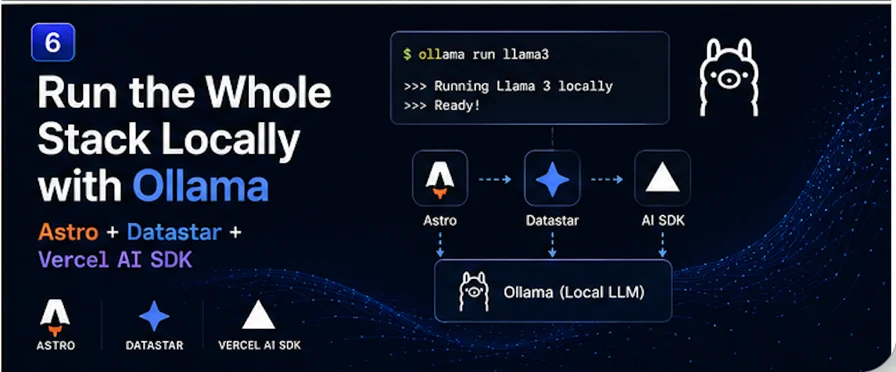
Here's the payoff for building this series on the Vercel AI SDK instead of wiring up a provider's HTTP API by hand: the SDK is provider-agnostic, which means everything we've built — the streaming primitive, the summarizer, the chat widget, the agent, the structured output — can run entirely on your own machine with a local model. No API key. No per-token bill. No data ever leaving your laptop.
The change is almost insultingly small: swap one import. Let me show you, and then talk honestly about the tradeoffs, because "local" isn't free — it's just a different set of costs.
Get a model running
Install Ollama and pull a model. For a stack that does chat, tools, and structured output, you want something competent at instruction-following and tool calls:
ollama pull llama3.2
ollama pull qwen3
Ollama serves these on http://localhost:11434. That's your "provider" now — running on your own hardware.
The one-import swap
The Vercel AI SDK talks to Ollama through a community provider. The well-maintained one for AI SDK v6 is ai-sdk-ollama (its v3+ line targets v6 specifically and handles tool-calling reliability, which the naive path fumbles):
npm install ai-sdk-ollama
Now go back to wherever you created a model in this series — say the agent from post four:
import { openai } from "@ai-sdk/openai";
model: openai("gpt-5.5"),
import { ollama } from "ai-sdk-ollama";
model: ollama("llama3.2"),
That's it. That's the change. Every streamText, every ToolLoopAgent, every experimental_output call keeps working exactly as written, because they all program against the AI SDK's model interface, not against OpenAI specifically. Your datastarResponse helper doesn't change. Your endpoints don't change. Your Datastar UI doesn't change. The chat still streams, the agent still calls its weather tool, the recipe card still fills itself in — now powered by a model running a few inches from your keyboard.
Delete your OPENAI_API_KEY if you want. You don't need it anymore.
The OpenAI-compatible alternative
If you'd rather not add a community provider, Ollama also exposes an OpenAI-compatible endpoint at http://localhost:11434/v1, so you can point the standard OpenAI-compatible provider at it:
import { createOpenAICompatible } from "@ai-sdk/openai-compatible";
const local = createOpenAICompatible({
name: "ollama",
baseURL: "http://localhost:11434/v1",
});
This works and keeps you on first-party packages. The dedicated ai-sdk-ollama provider tends to be smoother for the rougher edges — streaming tool calls, structured output reliability, model-specific options — so for the agent and structured-output posts I'd lean on it. For plain text streaming, the OpenAI-compatible route is perfectly fine.
The honest tradeoffs
Swapping the import is easy. Deciding whether you should is the real content.
What you gain:
- Zero marginal cost. No per-token billing. Run it in a loop, hammer it in development, build features that would be reckless to prototype against a metered API. This alone makes local models worth having in your toolkit.
- Privacy. The prompt and the data never leave your machine. For anything sensitive — internal documents, customer data, code — that's not a nice-to-have, it's sometimes the whole ballgame.
- No network, no rate limits, no outages. It works on a plane.
What you give up:
- Raw capability. A model that fits on your laptop is not GPT-5.5 or Claude. For the summarizer and the recipe card, a good local model is genuinely fine. For complex multi-step agent reasoning, you'll feel the gap — local models are more likely to fumble a tool call or lose the thread across several steps.
- Speed depends on your hardware. On a machine with a decent GPU, a small model streams briskly. On a laptop CPU, expect a slower crawl. Because our whole UI streams token by token, slowness degrades gracefully — the user sees a slower trickle, not a frozen spinner — but it's still slower.
- Tool-calling reliability. Smaller models are less dependable at producing clean tool calls and valid structured output, which is exactly why the
ai-sdk-ollama provider exists (it adds JSON repair and response-completion handling). Set realistic stopWhen limits on agents and validate structured output when the stream finishes.
The pattern that actually wins: hybrid
You don't have to choose globally. Because switching models is a one-line change, you can route per task — local for the cheap, high-volume, privacy-sensitive work, and a frontier cloud model for the genuinely hard reasoning:
import { ollama } from "ai-sdk-ollama";
import { openai } from "@ai-sdk/openai";
function pickModel(task: "summarize" | "chat" | "agent") {
return task === "agent" ? openai("gpt-5.5") : ollama("llama3.2");
}
The summarize button and the recipe card run locally and cost nothing. The tool-using agent, where reasoning quality matters most, calls out to a strong cloud model. Same endpoints, same Datastar UI, same streaming pipe — you're just choosing where each request runs. You can even add graceful fallback: try local first, and if it errors or times out, retry against the cloud model.
Why this was easy
Step back and notice why a swap this small was even possible. We never wrote code against OpenAI. We wrote code against the Vercel AI SDK's abstractions — streamText, ToolLoopAgent, Output — and against Datastar's SSE protocol. Neither of those cares which model is behind the curtain. That's the quiet payoff of building on good abstractions: the day you want to change a foundational piece, it's an import, not a rewrite.
And that's the series. We started with a single idea — iterate the AI SDK's stream on the server, re-emit it as Datastar SSE events — and rode it all the way through a summarizer, a chat widget, a tool-using agent, structured output, and now a fully local deployment. No React, no useChat, no client framework at any point. Just a server that streams and a UI made of HTML with attributes.
The Vercel AI SDK never shipped a Datastar binding. It turned out it never needed to. Once you see that its stream and Datastar's SSE protocol are two ends of the same pipe, the whole thing is just connecting them — and getting out of the way.