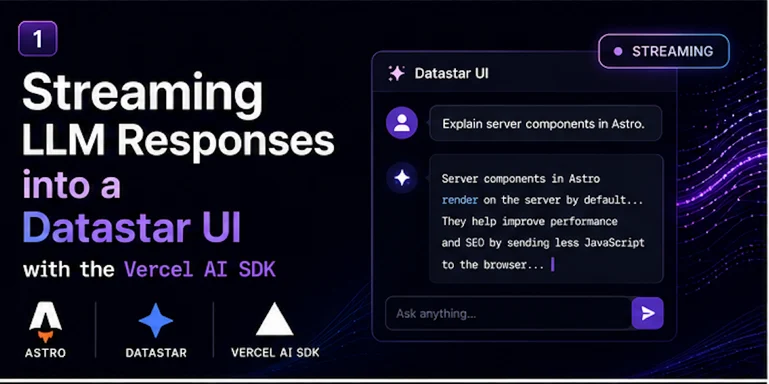
The Vercel AI SDK is the nicest way to talk to a language model from JavaScript. Datastar is the nicest way to build a reactive UI without shipping a framework. The problem: they don't know about each other. The SDK's useChat hook ships bindings for React, Vue, and Svelte — and nothing else. If you're building with Datastar, you're on your own.
Good news: you don't need useChat. The whole integration comes down to one small, reusable pattern, and once you have it, every AI feature you build on top is a variation on the same fifteen lines. This post builds that primitive. The next two posts in this series — an AI summarize button and a streaming chat widget — are just applications of it.
Here's the entire idea in one sentence: iterate the AI SDK's text stream on the server, and re-emit each chunk as a Datastar SSE event.
Why this works
Two facts line up almost suspiciously well.
First, streamText() from the AI SDK returns a result whose .textStream is both a ReadableStream and an AsyncIterable. That means you can sit in a for await loop on the server and receive the model's output token by token as it arrives.
Second, Datastar's entire backend protocol is Server-Sent Events. You send it datastar-patch-elements events containing HTML, and it morphs that HTML into the DOM by matching element IDs. You send it datastar-patch-signals events, and it updates client state. No client code, no glue, no framework.
So the bridge is obvious: stand in the middle. Loop over the model's tokens as they stream in, and for each one, push a Datastar SSE event out. The browser sees the text appear live. Nobody had to write a single line of client-side JavaScript.
The setup
You need an Astro project in SSR mode (Datastar needs a server to stream from), the AI SDK, and a provider. I'll use OpenAI here; swap it for Anthropic, Google, or anything else with a one-line change.
npm install ai @ai-sdk/openai
import { defineConfig } from "astro/config";
import vercel from "@astrojs/vercel";
export default defineConfig({
output: "server",
adapter: vercel(),
});
Add Datastar to your layout with a single script tag — pin the version:
<script
type="module"
src="https://cdn.jsdelivr.net/gh/starfederation/datastar@v1.0.2/bundles/datastar.js"
></script>
And put your API key in .env:
OPENAI_API_KEY=sk-...
The primitive
Here's the reusable helper. Drop it in src/lib/datastar.ts. It wraps the SSE boilerplate so the rest of your code never has to think about event formatting again.
type Patch = {
patchElements: (html: string) => void;
patchSignals: (signals: Record<string, unknown>) => void;
close: () => void;
};
export function datastarResponse(
handler: (patch: Patch) => void | Promise<void>
): Response {
const encoder = new TextEncoder();
const stream = new ReadableStream({
async start(controller) {
const send = (event: string, lines: string[]) =>
controller.enqueue(
encoder.encode(
`event: ${event}\n${lines.map((l) => `data: ${l}`).join("\n")}\n\n`
)
);
await handler({
patchElements: (html) =>
send("datastar-patch-elements", [`elements ${html.trim()}`]),
patchSignals: (signals) =>
send("datastar-patch-signals", [`signals ${JSON.stringify(signals)}`]),
close: () => controller.close(),
});
},
});
return new Response(stream, {
headers: {
"Content-Type": "text/event-stream",
"Cache-Control": "no-cache",
Connection: "keep-alive",
},
});
}
Two things to notice. Each SSE event ends with a doubled newline (\n\n) — miss that and nothing renders, and you will spend an hour confused. And patchElements morphs HTML into the DOM by matching the element's id, so the fragments you send need IDs that exist on the page.
Wiring in the AI SDK
Now the actual endpoint. It takes a prompt, asks the model, and streams the answer into an element with id="output".
import type { APIRoute } from "astro";
import { streamText } from "ai";
import { openai } from "@ai-sdk/openai";
import { datastarResponse } from "../../lib/datastar";
export const maxDuration = 30;
export const POST: APIRoute = async ({ request }) => {
const body = await request.json();
const prompt = body?.prompt ?? "";
return datastarResponse(async ({ patchElements, patchSignals, close }) => {
patchSignals({ generating: true });
const result = streamText({
model: openai("gpt-5.5"),
prompt,
});
let text = "";
for await (const chunk of result.textStream) {
text += chunk;
patchElements(`<div id="output">${escapeHtml(text)}</div>`);
}
patchSignals({ generating: false });
close();
});
};
function escapeHtml(s: string) {
return s
.replace(/&/g, "&")
.replace(/</g, "<")
.replace(/>/g, ">");
}
Notice streamText is not awaited — it returns synchronously and begins streaming in the background; the for await is what pulls tokens out. Each token gets appended to our running text and the whole element is re-sent. Datastar morphs it in place, so the user sees the answer grow character by character. The generating signal flips on and off so the UI can show a loading state.
That escapeHtml matters: model output is untrusted text, and you're injecting it into the DOM. Escape it.
The page
The front end is pure HTML with Datastar attributes. No build step, no component, no hydration.
---
// src/pages/index.astro
import Layout from "../layouts/Layout.astro";
---
<Layout>
  <div data-signals="{prompt: '', generating: false}">
    <textarea data-bind:prompt placeholder="Ask me anything..."></textarea>

    <button
      data-on:click="@post('/api/generate')"
      data-attr:disabled="$generating"
    >
      <span data-show="!$generating">Generate</span>
      <span data-show="$generating">Generating...</span>
    </button>

    <div id="output"></div>
  </div>
</Layout>
That's the whole app. data-bind:prompt two-way-binds the textarea to a signal. data-on:click="@post('/api/generate')" posts to our endpoint — and Datastar automatically serializes every signal (including prompt) into the request body, which is why the endpoint could just read body.prompt. The button disables itself while $generating is true. And #output fills in live as the tokens stream.
What you just built
Stand back and look at the shape, because it generalizes completely:
- A Datastar action (
@post) fires and sends your signals to the server. - The endpoint calls
streamText and loops over result.textStream. - Each token is re-emitted as a
datastar-patch-elements event. - Datastar morphs the growing HTML into the page. Zero client code.
Every AI feature is a remix of this. Want a "summarize this page" button? Same loop, the prompt is the page content. Want a chat widget? Same loop, you append message bubbles and stream into the latest one. Want structured output that fills a form as it arrives? Same loop, you patch signals instead of elements.
A few real-world notes
Serverless timeouts. Streaming responses are long-lived connections, and serverless platforms cap function duration. That's what export const maxDuration = 30 is for. On Vercel's Hobby tier you get a few minutes; for genuinely long generations, know your platform's ceiling.
HTTP/2. SSE streams hold a connection open, and HTTP/1.1 caps you at ~6 connections per domain. Serve over HTTP/2 (Vercel, Netlify, and Fly all do) and this never bites you.
Disconnects. If the user navigates away mid-stream, you ideally stop calling the model so you're not billed for tokens nobody will read. The AI SDK respects an AbortSignal — pass request.signal through to streamText via its abortSignal option to wire that up.
Provider swapping. Everything above is one line away from any other model. import { anthropic } from "@ai-sdk/anthropic" and model: anthropic("claude-sonnet-4.6") and you're done. The Datastar side doesn't change at all.
That's the foundation. In the next post we'll turn this into something genuinely useful in about twenty lines: a "summarize this page" button you can drop onto any Astro site.