The Vercel AI SDK is the nicest way to talk to a language model from JavaScript. Datastar is the nicest way to build a reactive UI without shipping a framework. The catch: they don't know about each other. The SDK's useChat hook ships bindings for React, Vue, and Svelte — and nothing else. If you build with Datastar, there's no official path.
It turns out you don't need one. The entire integration comes down to a single idea:
Iterate the AI SDK's stream on the server, and re-emit each chunk as a Datastar SSE event.
That's it. The AI SDK's textStream (and fullStream) is an async iterable you can loop over on the server; Datastar's whole backend protocol is Server-Sent Events that morph HTML into the page. Stand in the middle, connect the two ends of the pipe, and get out of the way. No client-side framework, no useChat, no hydration — just a server that streams and HTML with attributes.
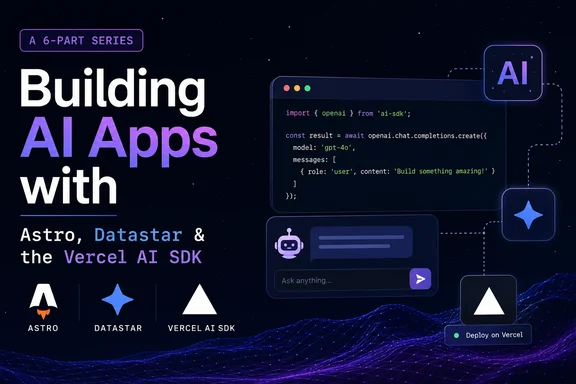
This series builds that idea all the way up, from a fifteen-line primitive to a fully local deployment. Every post shares the same small datastarResponse helper and the same four-beat shape (action fires → server streams from the model → tokens become SSE events → Datastar paints them in). Read them in order, or jump to the one that solves your problem.
The series
1. [Streaming LLM Responses into a Datastar UI with the Vercel AI SDK](/blog/streaming-llm-datastar-vercel-ai-sdk)
The foundation. Build the reusable streaming primitive — the helper and the pattern every other post is built on. Start here.
2. [Add an AI "Summarize This Page" Button to Any Astro Site](/blog/ai-summarize-button-astro-datastar)
The first real feature. Fetch a page, strip it to text, and stream a bullet-point summary into a panel. Small, useful, drop-in.
3. [Build a Streaming AI Chat Widget](/blog/streaming-ai-chat-widget-astro-datastar)
A full multi-turn chat where the server owns the conversation and the DOM is just the view — the most Datastar-idiomatic way to build a chatbot, and the one useChat won't help you with.
4. [Giving Your Datastar Chat Real Tools (the v6 Agent)](/blog/datastar-agent-tools-vercel-ai-sdk)
Turn the chat into an agent with the AI SDK v6 ToolLoopAgent, and stream the tool-call activity — "🔧 Checking the weather… ✅" — live into the conversation so users watch it work.
5. [Streaming Structured Output (a Card That Fills Itself In)](/blog/streaming-structured-output-datastar)
Stream typed, schema-validated data and watch a card assemble itself field by field — title, then ingredients, then steps — using streamText with output, the v6 replacement for streamObject.
6. [Run the Whole Stack Locally with Ollama](/blog/local-first-datastar-ollama)
The payoff for building on good abstractions: swap a single import and the entire series runs on your own machine — no API key, no per-token bill, no data leaving your laptop.
Who this is for
Intermediate-and-up developers building AI features who don't want to drag in React (or any client framework) to do it. You'll want to be comfortable with Astro in SSR mode and have a basic feel for Datastar's signals and SSE model — and if you're coming from HTMX + Alpine, my Datastar migration field guide covers that jump. By the end of this series you'll have a clean, framework-free way to build essentially any AI UI: chat, agents, structured generation, local or cloud.
The Vercel AI SDK never shipped a Datastar binding. Once you see why it never needed to, you'll reach for this pattern every time.