Summary
For about two years, my default stack for interactive server-rendered apps was HTMX for the network and Alpine.js for the sprinkles of client state. It worked. It also meant I was running two libraries that didn't know the other existed, and I was the glue holding them together.
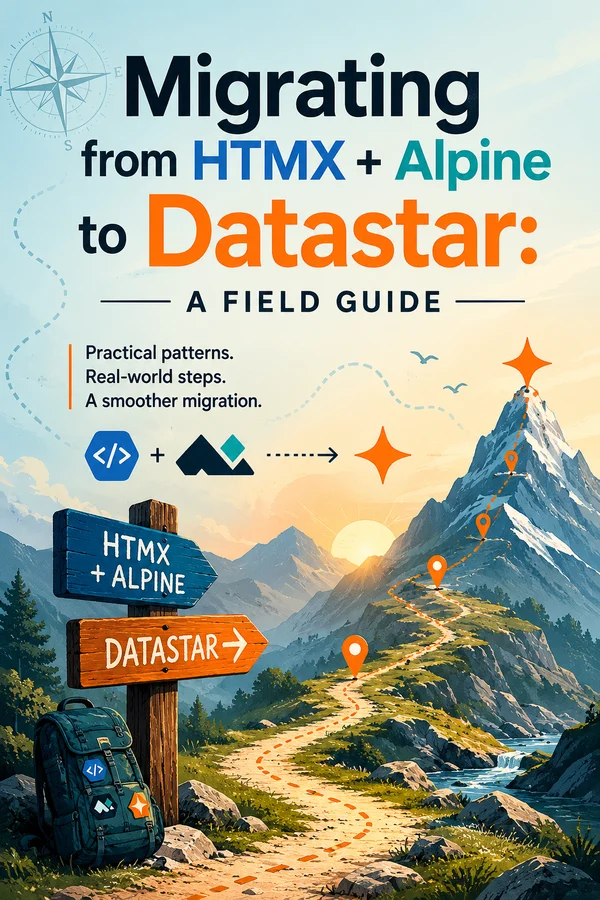
I wrote about why I finally switched to Datastar. That post is the why. This one is the how. It's the guide I wish I'd had: a comprehensive, pattern-by-pattern map for moving an HTMX + Alpine app over to Datastar, with a bias toward Astro because that's where I live.
If you've got an existing app and you're wondering whether the migration is a weekend or a quarter, the short answer is: smaller than you think, and you can do it one feature at a time. Let's get into it.
First, the mental model has to shift
This is the part that trips people up, so I'm putting it before any code.
HTMX and Alpine solve two different problems. HTMX does HTML-over-the-wire. You click a thing, the server sends back HTML, HTMX swaps it into the page. Alpine does client-side reactivity, local state, toggles, computed values, all in the browser. They're complementary, which is exactly why you end up running both, and why you spend a surprising amount of time writing little bridges between them and fighting initialization timing on swapped-in content.
Datastar collapses both jobs into one library and one idea: signals on the client, the server patching the DOM and those signals over a single stream. Your reactive state lives in signals (think Alpine's x-data, but global). Your server talks back over Server-Sent Events, patching HTML and state in the same response. There's no seam between "the network library" and "the reactivity library" because there's only one library.
The biggest practical consequence: the server is the source of truth and decides what happens next. Out-of-band updates, the thing you reached for hx-swap-oob to do, are the default, not a special case. And there's a move that simply has no HTMX+Alpine equivalent: the server reaching directly into client state and changing a signal. More on that later, because it's lovely.
Once that clicks, most of the migration is mechanical.
Setup in Astro
Datastar hit 1.0 in 2026, the release note literally reads "Done like dinner." As I write this the current stable is v1.0.1, and it's a single ~12 KB file with zero dependencies. That's smaller than HTMX and Alpine combined, and you get to delete both.
The simplest, most reliable install is a script tag in your layout. Pin the version:
---
// src/layouts/Layout.astro
---
<html lang="en">
  <head>
    <script
      type="module"
      src="https://cdn.jsdelivr.net/gh/starfederation/datastar@v1.0.1/bundles/datastar.js"
    ></script>
  </head>
  <body>
    <slot />
  </body>
</html>
For production I'd self-host the bundle rather than lean on a CDN, but the CDN is fine to start. There's a community @pekochan069/astro-datastar integration that mirrors the Alpine integration's ergonomics, but it's single-maintainer and the npm release lags the GitHub tags, so I'd treat it as optional and stick with the script tag.
One non-negotiable: Datastar needs a server. Add an SSR adapter (@astrojs/node, @astrojs/vercel, whatever you deploy to) and set output: 'server'. If your site is fully static with no endpoint to stream from, Datastar isn't the right tool, keep reading to the "when not to migrate" section.
The one syntax gotcha that will bite you
Before the mapping tables, internalize this, because half the stale tutorials and AI answers out there get it wrong.
In October 2025, the RC.6 release changed the attribute delimiter from `-` to `:` for any attribute that carries a key. So:
data-on-click→ `data-on:click`data-bind-email→ `data-bind:email`data-signals-count→ `data-signals:count`data-class-active→ `data-class:active`
Standalone event attributes whose suffix is fixed keep the hyphen, data-on-interval, data-on-intersect, data-on-signal-patch. And the old run-on-load attribute was renamed outright: `data-on-load` is now `data-init`. If you see data-on:load anywhere, it's wrong (yes, including in an older post of mine I need to go fix). Use data-init.
If you remember nothing else: colon for keyed attributes, data-init for "run on mount."
Mapping HTMX to Datastar
Here's the thing that makes the migration feel small: most hx-* attributes have a direct Datastar equivalent. The big conceptual change is that the target and swap mode move from the client to the server. In HTMX the button says "put the response in #result as innerHTML." In Datastar the button just says "POST to this endpoint," and the server's response says where it goes (by matching element id) and how.
| HTMX | Datastar |
|---|---|
| hx-get="/x" | data-on:click="@get('/x')" |
| hx-post / hx-put / hx-patch / hx-delete | @post('/x') / @put / @patch / @delete |
| hx-trigger="click" | data-on:click="..." |
| hx-trigger="keyup changed delay:300ms" | data-on:keyup__debounce.300ms="@get(...)" |
| hx-trigger="every 3s" | data-on-interval__duration.3s="@get(...)" |
| hx-trigger="load" | data-init="@get(...)" |
| hx-trigger="revealed" | data-on-intersect__once="@get(...)" |
| hx-target + hx-swap | Server decides: return an element with a matching id (morphed by default), or set mode/selector on the response |
| hx-swap="beforeend" etc. | Patch modes: outer (default), inner, replace, append, prepend, before, after, remove |
| hx-swap-oob="true" | The default: emit multiple fragments in one stream, each lands by id |
| hx-indicator="#spinner" | data-indicator:fetching + data-show="$fetching" |
| hx-vals / hx-include | Signals are sent automatically; scope with filterSignals |
| hx-confirm="Sure?" | data-on:click="confirm('Sure?') && @post('/x')" |
| HX-Redirect header | Patch a <script>window.location='/x'</script> |
| HX-Trigger header | Patch a signal, or dispatch a CustomEvent from a patched script |
| HX-Reswap / HX-Retarget | datastar-mode / datastar-selector response headers |
A concrete before/after. Classic HTMX partial swap:
<button hx-get="/partials/user-card" hx-target="#user-card" hx-swap="innerHTML">
  Load
</button>
<div id="user-card">Loading…</div>
In Datastar, the button stops caring about the target. It just asks:
<button data-on:click="@get('/partials/user-card')">Load</button>
<div id="user-card">Loading…</div>
…and the endpoint decides where the HTML lands (we'll build that endpoint in a minute).
Notice what disappeared: the indicator wiring, the target coupling, the out-of-band gymnastics. If clicking that button also needs to update a cart count in your navbar, you don't add hx-swap-oob anywhere. You just send a second fragment with id="cart-count" in the same response.
Mapping Alpine to Datastar
The reactivity side maps just as cleanly, with one genuine exception I'll flag loudly.
| Alpine | Datastar |
|---|---|
| x-data="{ open: false }" | data-signals="{ open: false }" (signals are global, not scoped) |
| x-show="open" | data-show="$open" |
| x-bind:disabled / :disabled | data-attr:disabled="$expr" |
| x-on:click / @click | data-on:click="..." |
| x-model="q" | data-bind:q |
| x-text="name" | data-text="$name" |
| x-html | Patch the HTML from the server (no core data-html) |
| x-for | No client loop: render the list server-side and patch it in |
| x-transition | CSS transitions on stable-id morphs, or the View Transition API |
| x-ref / $refs | data-ref:el → access as $el |
| x-init | data-init |
| x-effect | data-effect |
| $watch | data-on-signal-patch (+ filter) or data-effect |
| $el | el (available in every expression) |
| $dispatch | el.dispatchEvent(new CustomEvent(...)) |
| Alpine.store(...) | Just declare a top-level signal, signals are the global store |
| $persist plugin | Datastar Pro's data-persist (paid) |
The simplest possible toggle, side by side:
<!-- Alpine -->
<div x-data="{ open: false }">
  <button @click="open = !open">Toggle</button>
  <div x-show="open">Content</div>
</div>

<!-- Datastar -->
<div data-signals="{ open: false }">
  <button data-on:click="$open = !$open">Toggle</button>
  <div data-show="$open">Content</div>
</div>
Nearly a find-and-replace. Now the exception.
There is no client-side `x-for`. Datastar is hypermedia-first, so the answer to "render a list" is "render it on the server and patch it in." This feels like a downgrade for about a day, and then you realize you were already fetching that list's data from the server anyway, and rendering it in an Astro component is nicer than templating it in an attribute. If you have a genuinely client-only list with no server involved, that's one of the few cases where Alpine might still earn its place, but in a server-rendered app, it's rarely the right shape.
A couple of other notes from experience: signals being global instead of component-scoped is a real adjustment if you leaned on Alpine's x-data scoping, namespace your signals (cart.count, modal.open) to keep things sane. And when an expression gets too gnarly for an attribute, don't cram it in, extract it into a small web component. Datastar's own guidance is "props down, events up," and it's good advice.
The Astro piece: SSR endpoints that stream
Here's where Astro and Datastar fit together, and where it differs from your HTMX setup.
With HTMX, your endpoints return HTML fragments, Content-Type: text/html, one target per response, hx-swap-oob when you need to touch a second region. With Datastar, your endpoints stream Server-Sent Events, and you can patch as many regions and signals as you want in one round trip.
The two event types do all the work: datastar-patch-elements (HTML into the DOM) and datastar-patch-signals (JSON merged into client state). Here's a real endpoint:
// src/pages/api/cart/add.ts
import type { APIRoute } from "astro";

export const POST: APIRoute = async () => {
  const encoder = new TextEncoder();

  const stream = new ReadableStream({
    start(controller) {
      const patchElements = (html: string) =>
        controller.enqueue(
          encoder.encode(
            `event: datastar-patch-elements\ndata: elements ${html}\n\n`
          )
        );
      const patchSignals = (signals: Record<string, unknown>) =>
        controller.enqueue(
          encoder.encode(
            `event: datastar-patch-signals\ndata: signals ${JSON.stringify(signals)}\n\n`
          )
        );

      // Update the cart panel…
      patchElements(`<div id="cart-items"><p>3 items in cart</p></div>`);
      // …and the navbar badge, in the same response. No OOB attribute needed.
      patchElements(`<span id="nav-cart-count">3</span>`);
      // …and flip a signal on the client while we're at it.
      patchSignals({ cartOpen: true });

      controller.close();
    },
  });

  return new Response(stream, {
    headers: {
      "Content-Type": "text/event-stream",
      "Cache-Control": "no-cache",
      Connection: "keep-alive",
    },
  });
};
That patchSignals call is the thing HTMX + Alpine could never do cleanly, the server reaching across the wire and setting client state directly. Once you have it, a lot of awkward HX-Trigger-header-then-Alpine-listener choreography just evaporates.
Watch the SSE format detail that catches everyone: each event ends with a doubled newline (\n\n). Miss it and nothing renders.
In practice you don't want to hand-write that boilerplate in every route, so I keep a tiny helper:
// src/lib/datastar.ts
type SSE = {
  patchElements: (html: string) => void;
  patchSignals: (signals: Record<string, unknown>) => void;
  close: () => void;
};

export function datastarResponse(handler: (sse: SSE) => void | Promise<void>) {
  const encoder = new TextEncoder();
  const stream = new ReadableStream({
    async start(controller) {
      await handler({
        patchElements: (html) =>
          controller.enqueue(
            encoder.encode(`event: datastar-patch-elements\ndata: elements ${html.trim()}\n\n`)
          ),
        patchSignals: (signals) =>
          controller.enqueue(
            encoder.encode(`event: datastar-patch-signals\ndata: signals ${JSON.stringify(signals)}\n\n`)
          ),
        close: () => controller.close(),
      });
    },
  });
  return new Response(stream, {
    headers: {
      "Content-Type": "text/event-stream",
      "Cache-Control": "no-cache",
      Connection: "keep-alive",
    },
  });
}
And yes. You can still render those fragments with Astro components instead of template strings. Datastar doesn't care how the HTML is produced; it just needs HTML with the right id. For simple single-target swaps you can even skip SSE entirely and return a plain text/html response with datastar-selector and datastar-mode headers set in the frontmatter.
One Astro-specific watch-out: Astro's <ClientRouter /> (the View Transitions router) is itself a client-side router that swaps the DOM, and it can fight Datastar's morphing and SSE model. If you're going all-in on Datastar, I'd prefer browser-native cross-document view transitions over <ClientRouter />, or scope it carefully and use data-astro-reload on links that need a full navigation.
How to actually migrate: incrementally
You do not have to do this big-bang, and you shouldn't.
HTMX uses the hx-* namespace and Datastar uses data-*. They coexist on the same page without arguing, so you can migrate one feature at a time. The only rule is: don't point both libraries at the same element, and don't run Alpine and Datastar on the same subtree. They both want to own reactivity, and that's where you get weird behavior. Datastar's data-ignore is handy for fencing off a region you haven't converted yet.
The order I'd recommend:
- Add Datastar and an SSR adapter to the project. Don't remove anything yet.
- Convert the leaf widgets first: self-contained toggles, dropdowns, a live-search box. These are nearly find-and-replace and they build your confidence.
- Move polling and lazy-load next:
hx-trigger="every 3s"→data-on-interval,hx-trigger="revealed"→data-on-intersect,hx-trigger="load"→data-init. - Replace Alpine stores with top-level signals.
- Convert the network calls feature by feature, rewriting those endpoints to stream SSE.
- Delete HTMX, Alpine, and Hyperscript once a page is fully converted, and enjoy the bundle dropping.
Run the RC.6 migration regex over your codebase as you go to catch any data-on-click/data-on:load you typed out of muscle memory.
The gotchas nobody warns you about
I'd rather you hear these from me than discover them in production.
Content Security Policy. Datastar evaluates its expressions with the Function() constructor, which means it requires unsafe-eval in your script CSP. There's no first-party precompile workaround. If you operate under a strict CSP that forbids unsafe-eval, this is a hard blocker, and worth knowing that Alpine has the exact same requirement, so dropping Alpine doesn't buy you out of it. HTMX, by contrast, can run without eval. This is the single biggest reason to not migrate, so check it first.
The HTTP/1.1 connection limit. SSE streams are long-lived connections, and browsers cap you at ~6 per domain over HTTP/1.1. A few open streams across a couple of tabs and you can starve other requests. The fix is simple (serve over HTTP/2 or HTTP/3, which multiplexes) but confirm your host actually does. Most modern platforms (Vercel, Fly, Netlify) do.
Pro vs free. Some attributes you might reach for as Alpine replacements are commercial Datastar Pro features: data-persist (the $persist equivalent), data-view-transition, data-query-string, data-replace-url, data-animate, data-on-raf, data-on-resize. Don't assume they're drop-in free. Either budget for the license or reach for the CSS/web-component alternative.
npm lags the CDN. The @starfederation/datastar npm package has historically trailed the CDN bundle for stable releases. Pin the versioned CDN URL (or self-host a built bundle) as your source of truth for 1.0.
When you should *not* migrate
I'm a fan, but I'm not going to pretend it's universal. Keep HTMX + Alpine when:
- Your CSP forbids `unsafe-eval` and you can't change that.
- The site is fully static with no SSR endpoint to stream from.
- You need offline support: Datastar leans on the server and has no offline story.
- You have isolated, self-contained HTMX components that work fine and don't need shared reactive state. If it ain't broke.
- Your server is slow or can't cheaply hold/stream state. Datastar is LiveView-ish; a sluggish backend becomes a sluggish UI.
And honestly, HTMX + Alpine is still the gentler on-ramp if you're new to this whole "hypermedia" world. Datastar asks you to think a little harder up front and pushes more logic into your handlers. That's a trade I'll take every time for a real app, but it is a trade.
So, is it worth it?
For me, yes, emphatically. The win isn't really the bundle size or any single feature. It's deleting the seam. One library, one mental model, one place where state lives, and a server that can patch the page and the client's state in a single breath. The little bridges I used to write between HTMX and Alpine are just… gone.
If you're running the two-library setup today and you're on a server-rendered stack, I'd genuinely encourage you to try converting one feature this week. Pick a dropdown. Do the find-and-replace. See how it feels. I think you'll be surprised how little there is to it, and how much you don't miss.
If you want the conceptual backstory on why I made the jump in the first place, that's over here. And if you get stuck on the Astro-specific wiring, my Guide to Datastar with Astro goes deeper on the setup.
The Migration Cheat Sheet
Everything in this guide, compressed onto one page you can keep open in a tab while you convert. If you've read the mapping chapters, this is your quick reference; if you haven't, read those first, the tables below are reminders, not explanations.
The syntax that trips everyone
- Keyed attributes use a colon:
data-on:click,data-bind:email,data-signals:count,data-class:active. - Standalone event listeners keep the hyphen:
data-on-interval,data-on-intersect. - Run-on-load is `data-init` (the old
data-on-loadis gone). If you seedata-on:load, it's wrong. - Signals are referenced with
$; backend actions with@.
HTMX → Datastar
| HTMX | Datastar |
|---|---|
| hx-get="/x" | data-on:click="@get('/x')" |
| hx-post/put/patch/delete | @post('/x') / @put / @patch / @delete |
| hx-trigger="click" | data-on:click="…" |
| hx-trigger="keyup changed delay:300ms" | data-on:keyup__debounce.300ms="@get(…)" |
| hx-trigger="every 3s" | data-on-interval__duration.3s="@get(…)" |
| hx-trigger="load" | data-init="@get(…)" |
| hx-trigger="revealed" | data-on-intersect__once="@get(…)" |
| hx-target + hx-swap | Server decides: return an element with a matching id, or set datastar-selector / datastar-mode |
| hx-swap="beforeend" etc. | Patch modes: outer (default), inner, replace, append, prepend, before, after, remove |
| hx-swap-oob | The default, emit multiple fragments in one stream, each lands by id |
| hx-indicator | data-indicator:fetching + data-show="$fetching" |
| hx-vals / hx-include | Signals are sent automatically; scope with filterSignals |
| hx-confirm="Sure?" | data-on:click="confirm('Sure?') && @post('/x')" |
| HX-Redirect header | Patch a <script>window.location='/x'</script> |
| HX-Trigger header | Patch a signal, or dispatch a CustomEvent |
Alpine → Datastar
| Alpine | Datastar |
|---|---|
| x-data="{ open: false }" | data-signals="{ open: false }" (signals are global) |
| x-show="open" | data-show="$open" |
| x-bind:attr / :attr | data-attr:attr="$expr" |
| x-on:click / @click | data-on:click="…" |
| x-model="q" | data-bind:q |
| x-text="name" | data-text="$name" |
| x-html | Patch HTML from the server (no core data-html) |
| x-for | No client loop: render server-side, patch it in |
| x-transition | CSS transitions on stable-id morphs, or the View Transition API |
| x-ref / $refs | data-ref:el → access as $el |
| x-init | data-init |
| x-effect | data-effect |
| $watch | data-on-signal-patch (+ filter) or data-effect |
| Alpine.store(…) | Just declare a top-level signal, signals are the global store |
| $persist plugin | Datastar Pro's data-persist (paid) |
SSE event format (the server side)
Patch HTML into the DOM:
event: datastar-patch-elements
data: mode inner
data: selector #target
data: elements <div id="target">Hello</div>
Patch client state:
event: datastar-patch-signals
data: signals {"loading": false}
Every event ends with a doubled newline (\n\n). Default patch mode is outer (morph by id).
The migration order
- Add Datastar + an SSR adapter. Remove nothing yet.
- Convert leaf widgets (toggles, dropdowns, live search), nearly find-and-replace.
- Move polling/lazy-load to
data-on-interval/data-on-intersect/data-init. - Replace Alpine stores with top-level signals.
- Rewrite endpoints to stream SSE, feature by feature.
- Delete HTMX, Alpine, and Hyperscript once a page is fully converted.
Before you ship
- Serve over HTTP/2 (SSE + HTTP/1.1's 6-connection limit will bite you).
- Confirm your CSP allows
unsafe-eval, or use the CSP-safe bundle. - Watch for Pro-only attributes (
data-persist,data-view-transition) if you're on the free core.
About Roger
I'm Roger Stringer. I build things, break them, and write up what I learned so you don't have to learn it the hard way. These Field Guides come straight out of that work.
Working on something bigger? I take on a handful of fractional CTO engagements, helping founders and teams set technical direction, build AI-powered workflows, and actually ship the hard parts. If you're wrestling with the kind of problem this guide covers and want someone in your corner who's done it before, that's exactly what I help with. Drop me a line.
And if a guide helped, got something wrong, or you just want to compare notes, I'd love to hear from you:
- Email: roger.stringer@hey.com
- X: @freekrai
- GitHub: github.com/freekrai
- LinkedIn: linkedin.com/in/rogerstringer
New guides go up as I hit problems worth documenting. Follow along wherever suits you.