Field Guides Tagged as "Frontend"

Hypermedia, Datastar, HTMX, Astro, and UI.

← All field guides

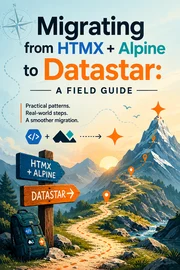
Migrating from HTMX + Alpine to Datastar: A Field Guide

Migrating from HTMX + Alpine to Datastar: A Field Guide

For about two years, my default stack for interactive server-rendered apps was HTMX for the network and Alpine.js for the sprinkles of client state. It worked. It also meant I was running two libraries that didn't know the other existed, and I was the glue holding them together. I [wrote about why I finally switched to Datastar](https://rogerstringer.com/blog/why-im-migrating-from-htmx-alpine-to-datastar) — that post is the *why*. This one is the *how*. It's the guide I wish I'd had: a comprehensive, pattern-by-pattern map for moving an HTMX + Alpine app over to Datastar, with a bias toward Astro because that's where I live. If you've got an existing app and you're wondering whether the migration is a weekend or a quarter, the short answer is: smaller than you think, and you can do it one feature at a time. Let's get into it.

Read guide
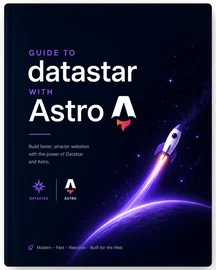
Guide to datastar with Astro

Guide to datastar with Astro

Datastar is a hypermedia framework that gives you the backend reactivity of HTMX and the frontend reactivity of Alpine.js in a single, lightweight library. If you've been using HTMX and Alpine together, you know the dance: HTMX handles your server requests and DOM swaps, Alpine handles your client-side interactivity, and you're constantly context-switching between two different mental models. Datastar unifies both into one cohesive system using standard `data-*` HTML attributes and Server-Sent Events (SSE). ### One library to rule them all. In this guide I'll walk you through the building blocks of Datastar, show you how it compares to the HTMX + Alpine combo you already know, and demonstrate how to build interactive web applications with Astro on the backend. I will assume you're familiar with HTMX and Alpine.js concepts. Learn more on the official website at [https://data-star.dev](https://data-star.dev) and check out the [getting started guide](https://data-star.dev/guide/getting_started).

Read guide