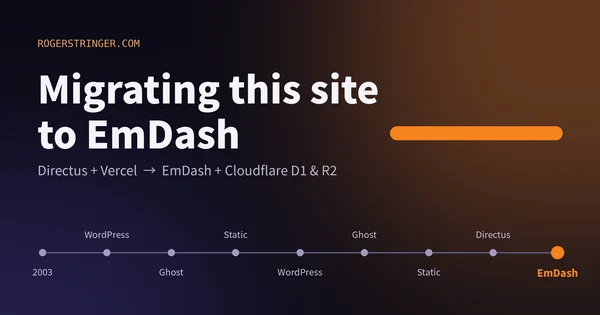
Migrating this site to EmDash
This site has changed CMS more times than I can count since 2003. This time I moved to EmDash on Cloudflare, and the reason is that most of my building now happens alongside an AI agent.
Read more Roger Stringer
I've been a fan of the HTMX + Alpine.js combo for a long time. Together, they let you build genuinely powerful reactive web apps without reaching for React or Vue, and for a while that felt like the right tradeoff. I actually ended up dropping Alpine.js first — it wasn't pulling its weight once I leaned harder into HTMX for most interactions. But even after that, HTMX on its own still left gaps, especially around reactive state and real-time updates.
That's when I started moving things over to Datastar, and the experience has been good enough that I wanted to write about why — specifically in the context of Astro, which is where I build most things.
The short version: HTMX and Alpine are two separate libraries that don't know about each other, and you end up being the glue between them. Datastar ships both capabilities — server communication and reactive client state — in a single ~14KB (minified, ungzipped) file and does it more coherently. Let's get into it.
In a typical Astro project you'd have both libraries in your layout:
<!-- src/layouts/Layout.astro (HTMX + Alpine) -->
<html>
  <head>
    <script src="https://unpkg.com/htmx.org@2.0.3" defer></script>
    <script src="https://unpkg.com/hyperscript.org@0.9.12"></script>
    <script defer src="https://unpkg.com/alpinejs@3.x.x/dist/cdn.min.js"></script>
  </head>
  <body>
    <slot />
  </body>
</html>
Three libraries, three bundles, three separate init lifecycles to reason about. With Datastar you drop all of them and add one. The easiest path in Astro is to just add the js script to your layout file:
<!-- src/layouts/Layout.astro (Datastar) -->
<html>
  <head>
  		<script type="module" src="https://cdn.jsdelivr.net/gh/starfederation/datastar@1.0.0-RC.7/bundles/datastar.js"></script>
  </head>
  <body>
    <slot />
  </body>
</html>
That's it. Datastar is now available on every page, and your layout is back to a plain <slot />.
The individual libraries are fine. HTMX handles server communication and DOM swaps, Alpine gives you reactive client-side state. The issue is the seam between them — they don't communicate with each other, and you're the one responsible for making them work together.
Say you've got a shopping cart. The item count lives in an Alpine store, HTMX fetches the updated total from the server, and you need both to stay in sync after an add-to-cart:
<!-- src/pages/shop.astro (HTMX + Alpine) -->
<div x-data="{ cartCount: 0 }">
  <button
    hx-post="/api/cart/add"
    hx-target="#cart-summary"
    hx-swap="outerHTML"
    hx-trigger="click"
    @htmx:after-request="cartCount = parseInt($el.dataset.count)"
    data-count="0"
  >
    Add to Cart
  </button>

  <span x-text="`${cartCount} items`"></span>
  <div id="cart-summary"></div>
</div>
It works, but look at what's happening: we're bridging Alpine and HTMX with a custom event listener and a data attribute to manually sync state that should just... be the same state. As your app grows, these bridges multiply. I've spent real hours debugging why an Alpine component wasn't reacting to an HTMX swap, or why the DOM update fired before Alpine had initialized on the freshly swapped fragment.
The other thing that bites you is attribute verbosity. A typical HTMX interaction needs several attributes to do its job:
<!-- HTMX: updating a status display -->
<button
  hx-get="/api/status"
  hx-target="#status-display"
  hx-select="#status-display"
  hx-swap="outerHTML"
  hx-trigger="every 5s"
>
  Check Status
</button>
Five attributes to poll an endpoint and update a target. We can do better.
Datastar is a single library that replaces both. It uses data-* attributes for everything — reactive state via signals, server communication, DOM binding — and Server-Sent Events as its transport layer. Here's that same status button:
<button data-on:click="@get('/api/status')">Check Status</button>
The server returns an HTML fragment with the same ID as the element it should replace, and Datastar morphs it in. You don't declare targets or swap strategies on the requesting element — the server decides what changes.
In HTMX you configure the swap on the requesting element. In Datastar the server is the source of truth — it sends fragments back and they land wherever their IDs match.
HTMX approach:
<!-- src/pages/profile.astro -->
<button
  hx-get="/api/partials/user-card"
  hx-target="#user-card"
  hx-swap="outerHTML"
>
  Load Profile
</button>

<div id="user-card">Loading...</div>
// src/pages/api/partials/user-card.ts
export async function GET() {
  const html = `
    <div id="user-card">
      <h2>Roger Stringer</h2>
      <p>Product Engineer · DataMcFly</p>
    </div>
  `
  return new Response(html, {
    headers: { 'Content-Type': 'text/html' },
  })
}
Datastar approach:
<!-- src/pages/profile.astro -->
<button data-on:click="@get('/partials/user-card')">Load Profile</button>

<div id="user-card">Loading...</div>
---
// src/pages/partials/user-card.astro
Astro.response.headers.set('datastar-selector', '#user-card')
Astro.response.headers.set('datastar-mode', 'inner')
---
<Fragment>
 	<h2>Roger Stringer</h2>
	<p>Product Engineer · DataMcFly</p>
</Fragment>
Datastar matches the incoming fragment to the #user-card element by ID and morphs it in. The button doesn't need to know anything about where the response lands.
For simple partials like this, you can use response headers (datastar-selector, datastar-mode) to tell Datastar where and how to patch. For more complex updates — patching multiple elements or updating signals — you'd use the SSE stream approach shown below.
In HTMX, updating elements outside your hx-target requires hx-swap-oob — a special attribute you have to sprinkle into your server-rendered HTML:
// src/pages/api/cart/add.ts (HTMX)
export async function POST() {
  const html = `
    <div id="cart-items">
      <p>3 items in cart</p>
    </div>

    <span id="nav-cart-count" hx-swap-oob="true">3</span>
  `
  return new Response(html, {
    headers: { 'Content-Type': 'text/html' },
  })
}
In Datastar you just emit both fragments in the same SSE response. No special attributes on the HTML, no swap-oob to remember:
// src/pages/api/cart/add.ts (Datastar)
export async function POST() {
  const encoder = new TextEncoder()

  const stream = new ReadableStream({
    start(controller) {
      const emit = (fragment: string) =>
        controller.enqueue(
          encoder.encode(
            `event: datastar-patch-elements\ndata: elements ${fragment}\n\n`
          )
        )

      emit(`<div id="cart-items"><p>3 items in cart</p></div>`)
      emit(`<span id="nav-cart-count">3</span>`)

      controller.close()
    },
  })

  return new Response(stream, {
    headers: {
      'Content-Type': 'text/event-stream',
      'Cache-Control': 'no-cache',
      Connection: 'keep-alive',
    },
  })
}
Both fragments land in the right place in a single round trip.
Alpine uses x-data objects. Datastar uses signals via data-signals. Here's a simple toggle:
Alpine:
<div x-data="{ open: false }">
  <button @click="open = !open">Toggle</button>
  <div x-show="open">Content</div>
</div>
Datastar:
<div data-signals="{ open: false }">
  <button data-on:click="$open = !$open">Toggle</button>
  <div data-show="$open">Content</div>
</div>
Very similar on the surface, but Datastar's signals can be patched from the server over SSE. If your Astro endpoint needs to update client state directly — without touching the DOM — it can:
const signalUpdate = JSON.stringify({ open: true })

controller.enqueue(
  encoder.encode(
    `event: datastar-patch-signals\ndata: signals ${signalUpdate}\n\n`
  )
)
There's no equivalent in the Alpine + HTMX world. The server has no way to reach into Alpine's reactive state.
HTMX submits forms via FormData. Datastar automatically serializes your signals as JSON, which means nested structures just work:
HTMX:
<!-- src/pages/contact.astro -->
<form hx-post="/api/contact" hx-target="#result" hx-swap="outerHTML">
  <input name="email" type="email" />
  <input name="name" type="text" />
  <button type="submit">Submit</button>
</form>
<div id="result"></div>
// src/pages/api/contact.ts
export async function POST({ request }: { request: Request }) {
  const formData = await request.formData()
  const email = formData.get('email')
  const name = formData.get('name')
}
Datastar:
<!-- src/pages/contact.astro -->
<div data-signals="{ form: { email: '', name: '' } }">
  <input data-bind="form.email" type="email" />
  <input data-bind="form.name" type="text" />
  <button data-on:click="@post('/api/contact')">Submit</button>
  <div id="result"></div>
</div>
// src/pages/api/contact.ts
export async function POST({ request }: { request: Request }) {
  // Datastar sends signals as JSON automatically
  const { form } = await request.json()
  const { email, name } = form
}
Clean nested object straight from the request body, no FormData parsing needed.
This is where Datastar really pulls ahead. HTMX needs polling or a separate WebSocket setup. Datastar uses SSE natively — open a long-lived connection on page load and the server pushes updates as they happen.
HTMX polling:
<div
  hx-get="/api/live/feed"
  hx-trigger="every 3s"
  hx-target="this"
  hx-swap="outerHTML"
  id="live-feed"
>
  Waiting for updates...
</div>
Datastar SSE:
<div id="live-feed" data-on:load="@get('/api/live/feed')">
  Waiting for updates...
</div>
// src/pages/api/live/feed.ts
export async function GET() {
  const encoder = new TextEncoder()

  const stream = new ReadableStream({
    async start(controller) {
      const emit = (fragment: string) =>
        controller.enqueue(
          encoder.encode(
            `event: datastar-patch-elements\ndata: elements ${fragment}\n\n`
          )
        )

      // Hold the connection open and push updates as they arrive
      for await (const update of subscribeToUpdates()) {
        emit(`<div id="live-feed">${update.content}</div>`)
      }

      controller.close()
    },
  })

  return new Response(stream, {
    headers: {
      'Content-Type': 'text/event-stream',
      'Cache-Control': 'no-cache',
      Connection: 'keep-alive',
    },
  })
}
The browser handles reconnection automatically if the connection drops. No polling interval to tune, no updates missed between requests.
If you're using Datastar across multiple endpoints, the SSE boilerplate adds up fast. I started with a straightforward helper that handles the common case — patch some HTML, optionally update some signals:
// src/lib/datastar.ts (v1 — gets the job done)
export function createDatastarResponse(html: string, signals?: Record<string, any>) {
  const encoder = new TextEncoder()

  const readableStream = new ReadableStream({
    start(controller) {
      const minifiedHtml = html.replace(/\s+/g, ' ').trim()
      const patchElements = `event: datastar-patch-elements\ndata: elements ${minifiedHtml}\n\n`
      controller.enqueue(encoder.encode(patchElements))

      if (signals) {
        const patchSignals = `event: datastar-patch-signals\ndata: signals ${JSON.stringify(signals)}\n\n`
        controller.enqueue(encoder.encode(patchSignals))
      }

      controller.close()
    },
  })

  return new Response(readableStream, {
    headers: {
      'Content-Type': 'text/event-stream',
      'Cache-Control': 'no-cache',
      Connection: 'keep-alive',
    },
  })
}
That works fine for fire-and-forget responses, but once you need to patch multiple elements, mix in signal updates, or hold a connection open for streaming, a callback-based API scales better:
// src/lib/datastar.ts (v2 — composable)

type SSEHandler = (sse: {
  patchElements: (html: string) => void
  patchSignals: (signals: Record<string, unknown>) => void
  close: () => void
}) => Promise<void>

export function createSSEResponse(handler: SSEHandler): Response {
  const encoder = new TextEncoder()

  const stream = new ReadableStream({
    async start(controller) {
      const emit = (event: string, data: string) =>
        controller.enqueue(
          encoder.encode(`event: ${event}\ndata: ${data}\n\n`)
        )

      await handler({
        patchElements: (html) =>
          emit('datastar-patch-elements', `elements ${html.trim()}`),
        patchSignals: (signals) =>
          emit('datastar-patch-signals', `signals ${JSON.stringify(signals)}`),
        close: () => controller.close(),
      })
    },
  })

  return new Response(stream, {
    headers: {
      'Content-Type': 'text/event-stream',
      'Cache-Control': 'no-cache',
      Connection: 'keep-alive',
    },
  })
}
Now every endpoint in your project looks like this:
// src/pages/api/partials/user-card.ts
import { createSSEResponse } from '@/lib/datastar'

export async function GET() {
  return createSSEResponse(async ({ patchElements, close }) => {
    patchElements(`
      <div id="user-card">
        <h2>Roger Stringer</h2>
        <p>Product Engineer · DataMcFly</p>
      </div>
    `)
    close()
  })
}
I won't pretend there's zero friction. If you have an existing HTMX + Alpine Astro project, you're looking at a real refactor — different attribute names, a shift to SSE on the server, and a different mental model for who controls state.
For new Astro projects the call is easy. For existing ones, I've been migrating feature by feature. Datastar can coexist with HTMX during the transition since they use different attribute namespaces (data-* vs hx-*), so you don't have to flip everything at once. I'm running both in the same layout right now and converting pages as I touch them.
HTMX + Alpine got me a long way. They're good libraries, and I'm not here to trash them. But managing the seam between them — the initialization timing, the event bridges, the mental overhead of two separate models — adds up over time. Datastar removes that seam. And as a bonus, Hyperscript goes away too — one less library to load and reason about.
One library. One mental model. The server drives the UI, signals handle the rest, and SSE connects everything in real time. For the kind of reactive, data-driven Astro apps I build, that's the right tradeoff.
If you've been happy with HTMX + Alpine, give Datastar a look. The attributes will feel familiar in about ten minutes, and the architecture will feel better after that.
This site has changed CMS more times than I can count since 2003. This time I moved to EmDash on Cloudflare, and the reason is that most of my building now happens alongside an AI agent.
Read more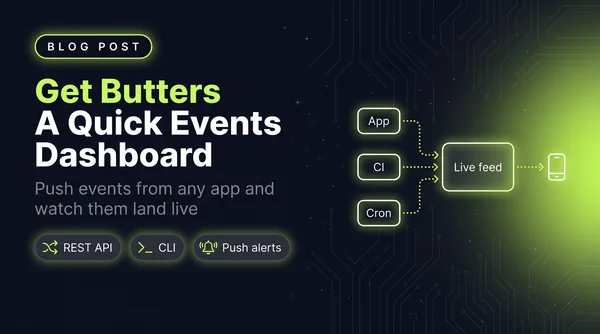
I wanted a simple dashboard that showed me events as they happened, so I wrote a quick little Astro app. It grew into Get Butters: a real-time event feed with a REST API, a CLI, insight cards and push alerts.
Read more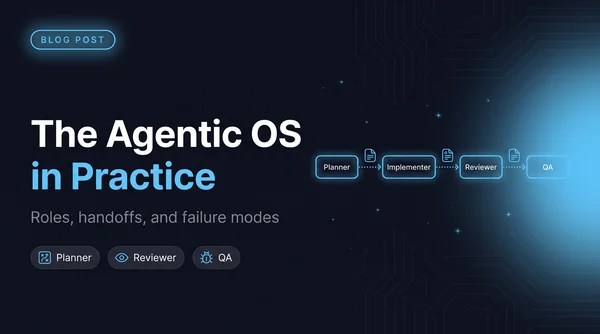
Once four agents can edit the same repo, architecture stops being the hard problem and coordination starts. The five roles I run and what each one is forbidden to touch, why every handoff goes through a file, a worktree script so agents stop racing, and the failure modes worth naming.
Read more