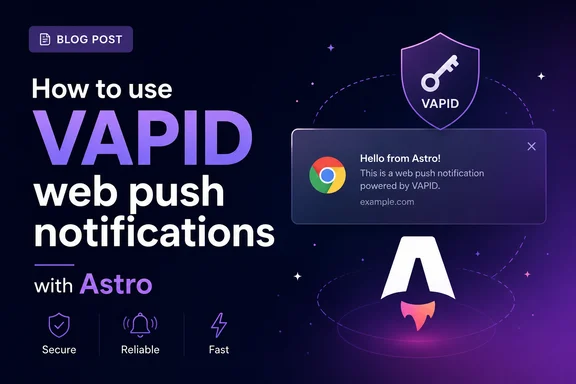
Every time push notifications come up, someone reaches for OneSignal or Firebase. You don't need either. Web push is built into every modern browser, it's free, and the whole thing runs on two keys you generate once and a POST request to the browser vendor's push service.
The missing piece is usually a clear end-to-end example. Here's the full setup in Astro: service worker, subscribe flow, SSR endpoints to store subscriptions, and sending pushes from the server.
One distinction before we start, because the terms get blurred: this is about web push — notifications that arrive even when the tab is closed. If you want in-app notifications while the user is on your site, that's a different (simpler) tool — server-sent events. Koyeb has a good Astro + SSE tutorial for that. Web push is for reaching people who left.
How web push actually works
Four moving parts:
- A service worker on your site that receives push events and shows the notification — even when the tab is closed.
- A push subscription — the browser gives you a unique endpoint URL (hosted by Mozilla, Google, or Apple, depending on the browser) plus encryption keys.
- Your server, which stores those subscriptions and POSTs encrypted payloads to the endpoints.
- VAPID keys — a public/private pair that identifies your server to the push services. This is the part that replaces a third-party service: you sign your pushes, the push service verifies them, no account with anyone required.
Under the hood, every send is your server signing a JWT with the private key, encrypting the payload (ECDH key exchange + AES-GCM — the push service relays your messages but can never read them), and POSTing it to the subscription's endpoint URL. That's the Web Push Protocol, and Google's writeup of it is the best deep-dive there is. We won't hand-roll any of it — that's what the web-push library is for — but knowing what's underneath makes the errors make sense later.
Generate your VAPID keys
Once, ever. Either from the terminal:
bunx web-push generate-vapid-keys
Or, if you'd rather not touch a terminal for it, attheminute.com's VAPID key generator generates a pair in the browser and doesn't store the keys anywhere.
Drop them in .env:
PUBLIC_VAPID_PUBLIC_KEY=BNx...
VAPID_PRIVATE_KEY=k3v...
VAPID_SUBJECT=mailto:you@yoursite.com
The PUBLIC_ prefix matters — Astro only exposes env vars to client code if they start with PUBLIC_. The private key stays server-side. The subject is just a contact so the push service can reach you if your server misbehaves.
Astro setup
Starting fresh? bun create astro@latest and pick the defaults. Existing project works the same.
You need SSR for the API endpoints, so add the Node adapter:
bunx astro add node
bun add web-push better-sqlite3
astro add node wires up astro.config.mjs for you — adapter in standalone mode. Your static pages can stay static; only the endpoints need to run on the server. In production you'll run the built server with node dist/server/entry.mjs instead of astro dev.
The service worker
Service workers must be served from your own origin at root scope, so this goes in public/sw.js — not in src/, where Astro would bundle it:
self.addEventListener('push', (event) => {
const data = event.data?.json() ?? {};
event.waitUntil(
self.registration.showNotification(data.title ?? 'New notification', {
body: data.body ?? '',
icon: '/icon-192.png',
data: { url: data.url ?? '/' },
})
);
});
self.addEventListener('notificationclick', (event) => {
event.notification.close();
event.waitUntil(clients.openWindow(event.notification.data.url));
});
That's the whole worker. Push event in, notification out, click opens the URL.
The subscribe flow
The browser hands you a subscription object when the user opts in. Two rules that matter here:
- Ask on a user gesture, not on page load. Browsers punish permission prompts on load — Firefox outright blocks them — and users deny them on reflex. Put it behind a button.
- The public key has to be converted from base64 to a
Uint8Array before subscribe() will take it. Everyone copies the same helper for this; so did I.
const PUBLIC_KEY = import.meta.env.PUBLIC_VAPID_PUBLIC_KEY;
function urlBase64ToUint8Array(base64String) {
const padding = '='.repeat((4 - (base64String.length % 4)) % 4);
const base64 = (base64String + padding).replace(/-/g, '+').replace(/_/g, '/');
const rawData = atob(base64);
return Uint8Array.from([...rawData].map((c) => c.charCodeAt(0)));
}
export async function subscribeToPush() {
const registration = await navigator.serviceWorker.register('/sw.js');
await navigator.serviceWorker.ready;
const permission = await Notification.requestPermission();
if (permission !== 'granted') return false;
const subscription = await registration.pushManager.subscribe({
userVisibleOnly: true,
applicationServerKey: urlBase64ToUint8Array(PUBLIC_KEY),
});
await fetch('/api/subscribe', {
method: 'POST',
headers: { 'Content-Type': 'application/json' },
body: JSON.stringify(subscription),
});
return true;
}
That subscription object is worth a look in the console: an endpoint URL pointing at the browser vendor's push service, plus p256dh and auth keys — the public half of what encrypts every payload you'll send. The auth value is a secret; treat the whole object like one.
Wire it to a button in any Astro component:
---
// src/components/PushButton.astro
---
<button id="push-btn">Enable notifications</button>

<script>
  import { subscribeToPush } from '../scripts/push.js';
  document.getElementById('push-btn')?.addEventListener('click', async () => {
    const ok = await subscribeToPush();
    if (ok) document.getElementById('push-btn').textContent = 'Notifications on';
  });
</script>
Storing subscriptions
A subscription is just JSON — an endpoint URL plus two keys. One table:
import Database from 'better-sqlite3';
const db = new Database('push.db');
db.exec(`CREATE TABLE IF NOT EXISTS subscriptions (
endpoint TEXT PRIMARY KEY,
data TEXT NOT NULL,
created_at TEXT DEFAULT CURRENT_TIMESTAMP
)`);
export default db;
And the endpoint that receives them:
import db from '../../lib/db.js';
export const prerender = false;
export async function POST({ request }) {
const subscription = await request.json();
if (!subscription?.endpoint) {
return new Response('Bad subscription', { status: 400 });
}
db.prepare(
'INSERT OR REPLACE INTO subscriptions (endpoint, data) VALUES (?, ?)'
).run(subscription.endpoint, JSON.stringify(subscription));
return new Response(JSON.stringify({ ok: true }), { status: 201 });
}
The endpoint URL is the natural primary key — re-subscribes overwrite instead of duplicating. Swap SQLite for Postgres or whatever you're already running; it's one table either way.
Sending a push
This is where the web-push library earns its install — the JWT signing and payload encryption from earlier, handled:
import webpush from 'web-push';
import db from './db.js';
webpush.setVapidDetails(
import.meta.env.VAPID_SUBJECT,
import.meta.env.PUBLIC_VAPID_PUBLIC_KEY,
import.meta.env.VAPID_PRIVATE_KEY
);
export async function sendToAll(payload) {
const rows = db.prepare('SELECT endpoint, data FROM subscriptions').all();
const body = JSON.stringify(payload);
const results = await Promise.allSettled(
rows.map((row) =>
webpush.sendNotification(JSON.parse(row.data), body).catch((err) => {
if (err.statusCode === 404 || err.statusCode === 410) {
db.prepare('DELETE FROM subscriptions WHERE endpoint = ?').run(row.endpoint);
}
throw err;
})
)
);
return results.filter((r) => r.status === 'fulfilled').length;
}
The status codes coming back from the push service are worth knowing, because they're your only feedback channel:
- 201 — accepted. (Accepted, not delivered — the push service queues it until the device shows up.)
- 404 / 410 — the subscription is dead: user revoked permission or the browser expired the endpoint. Delete it. This isn't optional housekeeping — subscriptions die constantly, and push services throttle servers that keep hammering dead endpoints.
- 429 — you've hit a rate limit; back off for the
Retry-After duration. - 413 — payload too big. The spec guarantees you 4KB. A push should be a title, a body, and a URL — if you're hitting 413, send less and let the click-through load the rest.
Then trigger sends from wherever makes sense — another endpoint, a cron job, a webhook:
import { sendToAll } from '../../lib/push.js';
export const prerender = false;
export async function POST({ request }) {
const auth = request.headers.get('authorization');
if (auth !== `Bearer ${import.meta.env.PUSH_API_KEY}`) {
return new Response('Unauthorized', { status: 401 });
}
const { title, body, url } = await request.json();
const sent = await sendToAll({ title, body, url });
return new Response(JSON.stringify({ sent }), { status: 200 });
}
Don't skip the auth check. An open send endpoint means anyone can push notifications to your entire subscriber list, and you only find out when your subscribers do.
Test it:
curl -X POST http://localhost:4321/api/send \
  -H "Authorization: Bearer $PUSH_API_KEY" \
  -H "Content-Type: application/json" \
  -d '{"title": "It works", "body": "Sent from your own server", "url": "/"}'
The gotchas
A few things that will cost you an hour each if you don't know them going in:
iOS requires the site to be installed. Safari on iOS (16.4+) only delivers web push to sites added to the home screen, and you need a web app manifest for that. Desktop Safari, Chrome, Edge, and Firefox all work normally.
HTTPS everywhere except localhost. Service workers and push only run on secure origins. localhost is exempt, so local dev works fine — but your phone hitting your dev machine over the LAN won't.
Notifications need to be... notifications. userVisibleOnly: true is the only allowed mode — every push must show a notification. There's no silent data-push channel here; that's a different API.
Test delivery in DevTools first. Chrome DevTools → Application → Service Workers has a push test field. Use it to verify your worker shows notifications before you start debugging the server side — it splits the problem in half.
Where this leaves you
A subscribe button, a service worker, one table, and two endpoints — push notifications with no vendor, no SDK weighing down the client, and no monthly bill. The browser vendors run the delivery infrastructure, and VAPID is just you proving to them it's really your server sending.
From here the obvious next steps are per-user subscriptions (store a user ID next to the endpoint) and topic-based sends (a topic column and a WHERE clause). Both are one migration away — which is the nice thing about owning the table.
Further reading