Every MCP tutorial I've read starts the same way: npm init, install the SDK, write a stdio server, wire it into Claude Desktop's config file. That's a fine way to learn MCP. It's the wrong way to ship one if you already have a server running.
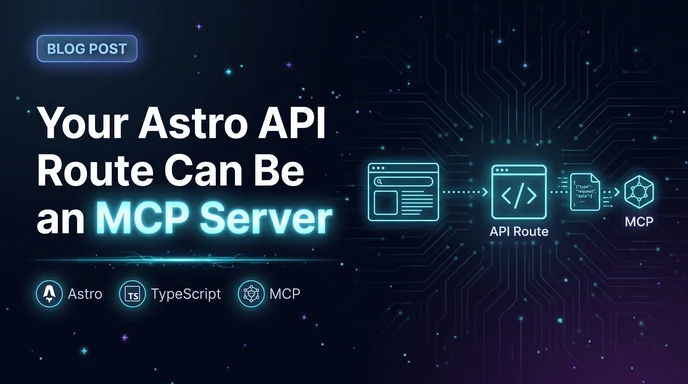
I run an Astro SSR app. It already has auth, already has a database connection, already has a deploy pipeline. Standing up a second Node process just to expose a couple of tools to Claude felt backwards, so I didn't. I put the MCP server behind one more API route.
It started with something dumb and recurring: I kept wanting an agent working in this repo to check what I'd already written about a topic before drafting something new, and the only way to do that was pasting a URL into context by hand, every time. An MCP tool that could search my own posts directly meant the agent could just ask, instead of me doing the lookup and pasting the answer back in.
What MCP actually needs from a server
Underneath the spec, an MCP server is a JSON-RPC endpoint that knows how to answer three kinds of requests: list your tools, list your resources, call a tool. The official TypeScript SDK wraps that in a Server (or the higher-level McpServer) class, and you register handlers against it. None of that cares what process it's running in.
What does care is the transport. The SDK ships two: stdio, where one host process spawns your server and talks to it over stdin/stdout, and Streamable HTTP, a single endpoint that accepts a POST with a JSON-RPC body and can upgrade the response to Server-Sent Events for anything long-running. Stdio is what every quickstart shows you because it needs zero infrastructure. Streamable HTTP is what you want the moment "infrastructure" is a thing you already have.
One wrinkle worth knowing before you write any code: the July 2026 spec revision dropped protocol-level sessions. There used to be an Mcp-Session-Id header the transport managed for you. It's gone. If a tool call needs to remember something across requests, you mint your own handle and pass it back as an ordinary argument on the next call. That's not a big deal for the kind of tools I'm about to build, but it'll bite you if you assumed the transport was going to hold state for free.
The Astro endpoint
Astro endpoints are just files under src/pages that export HTTP method handlers instead of a component. In SSR mode they get a real Fetch API Request in and hand back a Response, which turns out to matter here, because it's the seam where the MCP SDK's transport has to meet Astro's endpoint contract.
npm install @modelcontextprotocol/sdk zod
import type { APIRoute } from "astro";
import { McpServer } from "@modelcontextprotocol/sdk/server/mcp.js";
import { StreamableHTTPServerTransport } from "@modelcontextprotocol/sdk/server/streamableHttp.js";
import { registerTools } from "@/services/mcp/tools";
export const prerender = false;
const server = new McpServer({ name: "blog-posts", version: "1.0.0" });
registerTools(server);
export const POST: APIRoute = async ({ request }) => {
const transport = new StreamableHTTPServerTransport({
sessionIdGenerator: undefined,
});
await server.connect(transport);
return transport.handleRequest(request);
};
That transport.handleRequest(request) line is doing the real work: taking Astro's Fetch Request, running it through the transport, and returning something Astro can hand back as a Response. Depending on which SDK version you land on, the transport's request/response shape may still assume Node's http.IncomingMessage/ServerResponse rather than the Fetch API - check the current docs for the exact adapter signature before you copy this verbatim. It's a small amount of glue either way; the point is that it's glue, not a second server.
Giving it something real to do
A tool that echoes its input back isn't worth a blog post. I gave mine access to something the site already has: post search, backed by the same Drizzle queries the site itself uses for content reads.
import { z } from "zod";
import type { McpServer } from "@modelcontextprotocol/sdk/server/mcp.js";
import { searchPosts } from "@/db/queries";
export function registerTools(server: McpServer) {
server.registerTool(
"search_posts",
{
description: "Search my blog blog posts by keyword and return title, slug, and excerpt.",
inputSchema: {
query: z.string().min(2).describe("Keyword or phrase to search for"),
limit: z.number().int().min(1).max(20).default(5),
},
},
async ({ query, limit }) => {
const results = await searchPosts(query, limit);
return {
content: [
{
type: "text",
text: JSON.stringify(
results.map((p) => ({ title: p.title, slug: p.slug, excerpt: p.excerpt })),
),
},
],
};
},
);
}
Nothing here is MCP-specific except the registerTool call and the zod schema describing its input. Everything it does - the query, the shape of the result - is the same resilientRead-backed path the site already relies on for normal page requests. That's the actual payoff of building this as a route instead of a standalone process: the tool inherits the app's existing data layer instead of reimplementing a thinner version of it.
Talking to it
Before wiring a real client at it, point the MCP inspector at the route and confirm search_posts shows up and returns something sane:
npx @modelcontextprotocol/inspector
Point it at your dev server's /api/mcp URL, list tools, and run a call by hand. Once that looks right, add the endpoint to a client's MCP config - Claude Code, Claude Desktop, whatever you're using - as a url-type server rather than a command-type one:
{
  "mcpServers": {
    "rogerstringer-posts": {
      "url": "https://mysite.com/api/mcp"
    }
  }
}
The first real call from Claude Code worked with less drama than I expected: list tools, call search_posts, get back a small JSON array. Most of the effort had already gone into the plumbing above - once the endpoint was actually answering requests correctly, the client side of this was the easy part.
The catch
This isn't free. Because sessions are no longer the transport's job, every tool call on this route is stateless by default - if you need multi-step state (a running job, a partial upload, anything spanning calls), you're threading a handle through arguments yourself, which is more work than the stdio quickstart makes it look like. And if the route runs on serverless, you're paying a cold start on the first call, the same as any other endpoint on the site.
What you get in exchange: no second deploy target, no second place for auth to go wrong, and a tool that reads from the exact same data path as the rest of the app instead of a parallel one that can drift out of sync. For a site that already has the infrastructure, that trade is an easy one to take.
If you're building an MCP server from nothing and just want to learn the protocol, start with stdio - it's simpler and every official example uses it. But once you have a web app that already knows how to answer requests, don't build a second app just to answer a different kind of request. Add a route.