
Customizing my Xteink X4 Pro: CrossPoint firmware and wallpapers
How I set up my Xteink X4 Pro e-reader: CrossPoint Reader firmware flashed from the browser, custom sleep-screen wallpapers, and books and PDFs over Wi-Fi.
Read more Roger Stringer
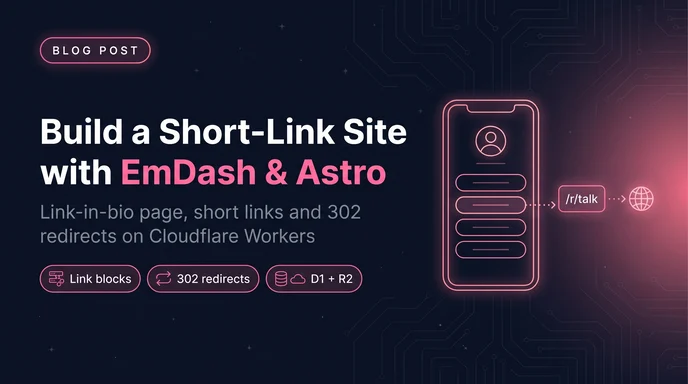
I had two things living on other people's servers: a Linktree page and a pile of short links. Both are tiny. Both are the kind of thing you forget about until the free tier changes or the service goes away.
So I built rser.me. It's a link-in-bio page and a short-link service in one small Astro site, running on EmDash with Cloudflare Workers, D1 and R2 underneath. I edit everything in EmDash's admin, and every link card on the page can double as a short link.
Mostly, I wanted to build my own again, the way I used to before link-in-bio services were a thing.
This is the whole build: the schema, the two kinds of short links, the redirect routes, the Worker, and a bonus section on tracking clicks with Get Butters.
The code is open source at github.com/freekrai/rser.me if you'd rather read the real files alongside this post, or fork it for your own domain.
rser.me does three jobs:
rser.me/ is the link-in-bio page: avatar, bio, social icons, and a stack of link cards.rser.me/<slug> is either a page (/about) or a short link that comes from a link card on the page.rser.me/r/<code> is a plain short link from its own collection, the same /r/ route rogerstringer.com already has.That split between /<slug> and /r/<code> was the first decision that mattered, and I'll get to why in a minute.
The stack:
output: "server")A link page is a list. You could hard-code it in an Astro component and be done in an hour.
But then every new link is a commit and a deploy. EmDash gives me the admin, drafts, revisions, image uploads to R2, and a forms plugin, and the site is still just Astro pages I control. The CMS lives inside the same Worker, so there's one thing to deploy and one bill.
The other reason is the blocks field. EmDash lets you define block types, and a page's content becomes an ordered list of those blocks. That's exactly what a link-in-bio page is.
There are two collections. pages holds the link page and anything else like /about. r holds the plain short links.
Here's the r collection from the seed file:
{
  "slug": "r",
  "label": "short links",
  "labelSingular": "short link",
  "description": "Short URLs at /r/{slug}: the entry slug is the code, `url` is where it redirects. Only published links redirect.",
  "supports": ["drafts", "revisions"],
  "urlPattern": "/r/{slug}",
  "fields": [
    { "slug": "url", "label": "Destination URL", "type": "url", "required": true, "unique": true }
  ]
}
That's the entire short-link data model. The entry's slug is the code, and url is the destination. No separate "code" field to keep in sync with the slug.
A couple of things fall out of using a normal EmDash collection for this:
url is unique. That stops me creating three codes for the same page by accident. It also means you can't point two codes at one URL on purpose. If you want aliases, drop the unique.The pages collection does the rest. It's a title plus one blocks field called layout:
{
  "slug": "pages",
  "label": "Pages",
  "labelSingular": "Page",
  "urlPattern": "/{slug}",
  "description": "The page with slug \"home\" is the home page.",
  "supports": ["drafts", "revisions", "seo"],
  "fields": [
    { "slug": "title", "label": "Title", "type": "string", "required": true },
    {
      "slug": "layout",
      "label": "Blocks",
      "type": "blocks",
      "validation": {
        "allowedTypes": ["profile", "socials", "heading", "link", "text", "form"],
        "maxItems": 100
      }
    }
  ]
}
allowedTypes is what keeps the editor focused. When I add a block to a page, the picker only offers these 6, not every block type on the site.
Each block type is defined in the seed's blockTypes, with its own fields:
Block | Fields | What it renders |
|---|---|---|
|
| The header. The avatar falls back to the site logo, then |
|
| A row of icons from |
|
| A section title, like "My projects". |
|
| A link card, and optionally a short link. |
|
| A paragraph or two of rich text. |
|
| A Forms plugin form in a dialog. |
The home page is just the page whose slug is home, and /about is a page whose slug is about. Same collection, same blocks.
The link block is the interesting one:
{
  "slug": "link",
  "label": "Link",
  "description": "A link card. Give it a short slug to make example.com/<slug> redirect to it.",
  "category": "Link page",
  "currentVersion": 1,
  "versions": [
    {
      "version": 1,
      "fields": [
        { "slug": "title", "label": "Title", "type": "string", "required": true },
        { "slug": "url", "label": "Destination URL", "type": "string", "required": true },
        { "slug": "description", "label": "Description", "type": "text" },
        { "slug": "thumbnail", "label": "Thumbnail", "type": "image" },
        { "slug": "badge", "label": "Badge (e.g. a price)", "type": "string" },
        { "slug": "short_slug", "label": "Short link slug", "type": "string" },
        { "slug": "hidden", "label": "Hide on page (short link only)", "type": "boolean", "defaultValue": false }
      ]
    }
  ]
}
short_slug and hidden are what make a link card double as a short link. Fill in short_slug and example.com/<slug> redirects to the card's URL. Tick hidden and the card disappears from the page but the short link keeps working.
So why have both?
Link cards are for the links I want people to find. If a card on my page points at my latest guide, giving it a short_slug of guide turns it into rser.me/guide too. One edit in one place.
The r collection is for everything else: one-off links for a slide deck, a newsletter, a QR code. Those don't belong on the page, and I don't want to scroll past 40 hidden cards in the editor to find the one I need. Hidden cards work for a handful. A collection is better when it's a pile.
/r/ is handy for meeting links. Cal.com booking URLs are long and ugly, so each meeting type gets a short code under /r/, and that's what goes in emails and DMs. If I change the meeting type later, I repoint the entry and every link I've already sent still works.
Every page goes through one component that maps block types to Astro components and hands them to EmDash's <Blocks> renderer:
---
// src/components/PageBlocks.astro (trimmed)
import { Blocks } from "emdash/ui";
import ContactForm from "./blocks/ContactForm.astro";
import Heading from "./blocks/Heading.astro";
import Link from "./blocks/Link.astro";
import Profile from "./blocks/Profile.astro";
import Socials from "./blocks/Socials.astro";
import Text from "./blocks/Text.astro";

interface Props {
	blocks: unknown[] | null | undefined;
}

// One component per block type in seed/seed.json (blockTypes).
const components = {
	profile: Profile,
	socials: Socials,
	heading: Heading,
	link: Link,
	text: Text,
	form: ContactForm,
};

const { blocks } = Astro.props;
---

<Blocks value={(blocks ?? []) as any} components={components as any} />
Each block component gets the block's fields as value. The Link component is a pill-shaped card that skips rendering when hidden is set:
---
// src/components/blocks/Link.astro (trimmed)
import { sanitizeHref } from "emdash";
import { Image } from "emdash/ui";

const { value } = Astro.props as {
	value: { title: string; url: string; thumbnail?: any; badge?: string; hidden?: boolean };
};
const href = sanitizeHref(value.url);
const external = /^https?:\/\//i.test(value.url);
---

{
	!value.hidden && (
		<a
			href={href}
			target={external ? "_blank" : undefined}
			rel={external ? "noopener noreferrer" : undefined}
			class="relative mb-4 flex min-h-14 items-center justify-center rounded-full border border-primary/80 bg-base-100 px-14 py-4"
		>
			{value.thumbnail && (
				<span class="absolute left-2 top-1/2 size-10 -translate-y-1/2 overflow-hidden rounded-full">
					<Image image={value.thumbnail} width={80} height={80} class="size-10 object-cover" />
				</span>
			)}
			<span class="font-medium">{value.title}</span>
			{value.badge && <span class="badge badge-sm badge-primary absolute right-3">{value.badge}</span>}
		</a>
	)
}
sanitizeHref from emdash is worth using anywhere a URL comes out of the CMS. It returns # for anything unsafe, like a javascript: URL someone pasted into a field.
The home page is just the page with the slug home:
---
// src/pages/index.astro
import { getEmDashEntry } from "emdash";
import Base from "../layouts/Base.astro";
import PageBlocks from "../components/PageBlocks.astro";

const { entry: page, cacheHint } = await getEmDashEntry("pages", "home");
if (Astro.cache?.enabled) Astro.cache.set(cacheHint);
---

<Base title={page?.data.title ?? "Links"}>
	<PageBlocks blocks={page?.data.layout} />
</Base>/<slug> routeThis is where pages and link-card short links share a URL space. The route tries them in order:
/about, gets rendered.short_slug matches gets a 302 to its URL.---
// src/pages/[slug].astro (trimmed)
import { getEmDashEntry, decodeSlug } from "emdash";
import Base from "../layouts/Base.astro";
import PageBlocks from "../components/PageBlocks.astro";
import { resolveShortLink } from "../utils/short-links";
const slug = decodeSlug(Astro.params.slug);
if (!slug) return Astro.rewrite("/404");
if (slug === "home") return Astro.redirect("/", 301);
const { entry: page, cacheHint } = await getEmDashEntry("pages", slug);
if (!page) {
const destination = await resolveShortLink(slug);
if (destination) {
return new Response(null, {
status: 302,
headers: { Location: destination, "Cache-Control": "no-store" },
});
}
return Astro.rewrite("/404");
}
if (Astro.cache?.enabled) Astro.cache.set(cacheHint);
---
<Base title={page.data.title}>
<a href="/" class="btn btn-ghost btn-sm mb-4">← All links</a>
<PageBlocks blocks={page.data.layout} />
</Base>Pages win on purpose. If I create an /about page and also have a card with short_slug: about, the page shows. Short links are the fallback, so they can never hide real content.
Astro.rewrite("/404") keeps the URL and serves the 404 page with a real 404 status. Redirecting to /404 would tell crawlers the missing page moved, which is wrong.
The resolver walks the link blocks on every published page:
// src/utils/short-links.ts
import { getEmDashCollection } from "emdash";

type LinkBlock = { _type: "link"; url?: string; short_slug?: string };

/**
 * Find the destination for example.com/<slug> by scanning link blocks on
 * every published page. Matching is case-insensitive; the first match wins.
 */
export async function resolveShortLink(slug: string): Promise<string | null> {
	const wanted = slug.trim().toLowerCase();
	const { entries } = await getEmDashCollection("pages", { limit: 100 });
	for (const page of entries) {
		const blocks = (page.data.layout ?? []) as unknown as LinkBlock[];
		for (const block of blocks) {
			const short = block.short_slug?.trim().toLowerCase().replace(/^\//, "");
			if (block._type === "link" && block.url && short === wanted) return block.url;
		}
	}
	return null;
}
Yes, that's a scan. On a site with a handful of pages, it's one query and a couple of loops, and I'm fine with that. If you had thousands of pages, you'd want short links in their own collection with the slug as the key, which is exactly what /r/ does.
The .replace(/^\//, "") forgives a slug typed with a leading slash, /guide instead of guide. Same fix as the /r/ route below.
/r/<code> routeThe r collection route is shorter, because the code is the entry slug and EmDash can look it up directly:
---
// src/pages/r/[code].astro
import { decodeSlug, getEmDashEntry, sanitizeHref } from "emdash";

const code = decodeSlug(Astro.params.code);
if (!code) return Astro.rewrite("/404");

// The admin accepts slugs typed with a leading slash ("/blog"), so try both forms.
let { entry: link, cacheHint } = await getEmDashEntry("r", code);
if (!link) ({ entry: link, cacheHint } = await getEmDashEntry("r", `/${code}`));

const url = link?.data.url ? sanitizeHref(link.data.url) : null;
// sanitizeHref returns "#" for anything unsafe (javascript: and friends).
if (!url || url === "#") return Astro.rewrite("/404");

if (Astro.cache?.enabled) Astro.cache.set(cacheHint);
return Astro.redirect(url, 302);
---
That leading-slash fallback came from a real bug. The admin happily saved a slug as /blog, and /r/blog 404'd because the entry's slug wasn't blog. Fixing the data would only last until the next slug with a slash in it, and a second lookup on a miss is cheap.
getEmDashEntry only returns published entries, so drafts 404 without any extra check.
Every short link here is a 302.
A 301 tells browsers the move is permanent, and they cache it hard. If I point rser.me/r/talk at last year's slides and then update it, anyone whose browser already saw the 301 keeps going to the old place, and I can't fix that from the server.
Short links get repointed. That's half the reason to have them. So 302, plus Cache-Control: no-store on the link-card redirects so nothing in between holds onto them either. The only 301s on the site are the ones that really are permanent: /home to /, and www to the apex.
EmDash on Cloudflare ships a Worker handler, so src/worker.ts mostly re-exports it. I wrapped fetch to send www to the apex before EmDash sees the request:
// src/worker.ts
import handler, {
	createScheduledHandler,
	handleRoomUpgrade,
	PluginBridge,
} from "@emdash-cms/cloudflare/worker";

export { PluginBridge };

export default {
	...handler,
	fetch(request, env, ctx) {
		// Co-editing room connections must be handled before anything else.
		const upgrade = handleRoomUpgrade(request, env);
		if (upgrade) return upgrade;

		// Canonical host: www.example.com -> example.com (path and query kept).
		const url = new URL(request.url);
		if (url.hostname === "www.example.com") {
			url.hostname = "example.com";
			return Response.redirect(url.toString(), 301);
		}

		return handler.fetch!(request, env, ctx);
	},
	scheduled: createScheduledHandler(),
} satisfies ExportedHandler<Env>;
createScheduledHandler() runs EmDash's scheduled publishing and plugin cron jobs off a * * * * * cron trigger.
The domains live in wrangler.jsonc as custom domains, so Wrangler creates the DNS records on deploy:
{
	"name": "my-links",
	"main": "./src/worker.ts",
	"compatibility_date": "2026-02-24",
	"compatibility_flags": ["nodejs_compat"],
	"routes": [
		{ "pattern": "example.com", "custom_domain": true },
		{ "pattern": "www.example.com", "custom_domain": true }
	],
	"vars": {
		// Setup, passkeys, sitemaps and email links use this origin.
		"EMDASH_SITE_URL": "https://example.com"
	},
	"d1_databases": [{ "binding": "DB", "database_name": "my-links" }],
	"r2_buckets": [{ "binding": "MEDIA", "bucket_name": "my-links-media" }],
	"send_email": [{ "name": "EMAIL" }],
	"triggers": { "crons": ["* * * * *"] }
}
And astro.config.mjs wires those bindings into EmDash:
import cloudflare from "@astrojs/cloudflare";
import { d1, r2 } from "@emdash-cms/cloudflare";
import { cloudflareEmail } from "@emdash-cms/cloudflare/plugins";
import { formsPlugin } from "@emdash-cms/plugin-forms";
import tailwindcss from "@tailwindcss/vite";
import { defineConfig } from "astro/config";
import emdash from "emdash/astro";

export default defineConfig({
	output: "server",
	adapter: cloudflare(),
	vite: { plugins: [tailwindcss()] },
	integrations: [
		emdash({
			database: d1({ binding: "DB", session: "auto", coalesce: true }),
			storage: r2({ binding: "MEDIA" }),
			plugins: [
				formsPlugin({ defaultSpamProtection: "honeypot" }),
				cloudflareEmail({
					from: { email: "forms@mail.example.com", name: "My links" },
				}),
			],
		}),
	],
});The form block embeds a form from EmDash's forms plugin by its slug. I build the form in the admin, drop a form block on the page with that slug, and it shows up as a pill that opens the form in a dialog. Until the form exists, the block renders nothing, so I can't ship a broken button.
Submissions land in the admin under Plugins, and notifications go out through Cloudflare Email Sending via cloudflareEmail(). The sender is on a subdomain, mail.rser.me, which kept Email Sending's DNS records away from the apex, where my regular mail already lives.
Spam protection is the plugin's honeypot, set with defaultSpamProtection: "honeypot".
So far, it's held up.
One small touch I like: a link card that points at one of my own pages, like /about, opens that page in a daisyUI modal instead of navigating away. PageBlocks spots links matching /^\/([a-z0-9][a-z0-9_-]*)\/?$/i, fetches those pages' blocks up front, and renders them inside a <dialog>.
The trigger is still a real <a href="/about">. With JavaScript off, it's just a link. With it on, a click handler calls showModal() instead, and visiting /#about opens the dialog directly. About 20 lines of script, no framework.
bun install
bun run dev        # http://localhost:4321, admin at /_emdash/admin
bun run deploy     # astro build && wrangler deploy
The first deploy creates the D1 database and the R2 bucket from wrangler.jsonc. After that, schema changes on the live site go through the admin (or EmDash's MCP server), because the seed only applies to an empty database.
The one deploy-time gotcha: when an EmDash upgrade adds database migrations, the site can 503 with "Database migrations are required." bunx emdash migrate --status --d1 <database> shows what's pending, and the core migrations guide covers applying them.
The first version had one gap. The redirect routes return before the layout renders, so page analytics never saw a short-link hit. I knew how many people loaded the page, but not which links they clicked or which short links got used.
So I wired in Get Butters, the event feed I built. I already run it to track Talk To My Sites, so adding rser.me was one more project. It covers both halves:
The server half is one small module. It reads its config from the Worker's environment and sends the event with waitUntil, so the redirect goes out immediately and the tracking call finishes in the background:
// src/utils/butters.ts (trimmed)
import { env, waitUntil } from "cloudflare:workers";

type ButtersEnv = { BUTTERS_API_KEY?: string; BUTTERS_PROJECT_ID?: string; BUTTERS_URL?: string };
const config = env as unknown as ButtersEnv;

// Link-preview crawlers and bots (Slack, iMessage, social cards, uptime checks).
const BOT_UA =
	/bot\b|bot\/|crawl|spider|slurp|preview|facebookexternalhit|embedly|whatsapp|telegram|discord|skype|vkshare|pinterest|headless|lighthouse|uptime|monitor|curl\/|wget\/|python-requests|go-http-client/i;

export function isBot(request: Request): boolean {
	const ua = request.headers.get("user-agent") ?? "";
	return ua === "" || BOT_UA.test(ua);
}

/** Visitor context without personal data: country, referring site, device type. */
export function requestContext(request: Request): Record<string, string> {
	const ctx: Record<string, string> = {};
	const country = request.headers.get("cf-ipcountry");
	if (country && country !== "XX") ctx.country = country;
	const referrer = request.headers.get("referer");
	if (referrer) {
		try {
			ctx.referrer = new URL(referrer).hostname;
		} catch {
			/* ignore malformed referrers */
		}
	}
	const ua = request.headers.get("user-agent") ?? "";
	ctx.device = /mobile|iphone|android/i.test(ua) ? "mobile" : /ipad|tablet/i.test(ua) ? "tablet" : "desktop";
	return ctx;
}

/** Queue an event for Butters. Never throws and never delays the response. */
function track(event: { category: string; title: string; icon?: string; url?: string; metadata?: Record<string, unknown> }) {
	if (!config.BUTTERS_API_KEY || !config.BUTTERS_PROJECT_ID) return;
	const send = fetch(new URL("/api/events", config.BUTTERS_URL || "https://app.getbutters.com"), {
		method: "POST",
		headers: { "Content-Type": "application/json", Authorization: `Bearer ${config.BUTTERS_API_KEY}` },
		body: JSON.stringify({ project: config.BUTTERS_PROJECT_ID, ...event }),
	})
		.then(async (res) => {
			if (!res.ok) console.warn(`[butters] ${res.status} ${(await res.text()).slice(0, 200)}`);
		})
		.catch((err) => console.warn("[butters] send failed:", err));
	waitUntil(send);
}

/** Track a short-link redirect (server side). */
export function trackRedirect(request: Request, path: string, destination: string, source: "r" | "block") {
	const host = new URL(request.url).hostname;
	if (isBot(request) || host === "localhost" || host === "127.0.0.1") return;
	track({
		category: "short-links",
		title: path,
		icon: "🔗",
		url: destination,
		metadata: { path, destination, source, ...requestContext(request) },
	});
}
Then each redirect route gets one line before it returns:
---
// src/pages/r/[code].astro, just before the redirect
trackRedirect(Astro.request, `/r/${code}`, url, "r");
return Astro.redirect(url, 302);
---
The /<slug> route does the same with "block" as the source, so I can tell link-card short links from /r/ ones in the feed.
The bot filter matters for short links in particular. Paste a link into Slack or iMessage and the preview crawler requests it before any human does, so without the filter every link you share would count at least one fake click.
The page half uses the @getbutters/js SDK with a publishable key. It's a component in the layout that only renders when there's a key and the site isn't on localhost:
---
// src/components/ClickTracking.astro (trimmed)
import { publicKeyFor } from "../utils/butters";
const key = publicKeyFor(Astro.url); // PUBLIC_BUTTERS_KEY, or null on localhost
---

{key && <meta name="butters-key" content={key} />}

<script>
	import { init, track } from "@getbutters/js";

	const key = document.querySelector<HTMLMetaElement>('meta[name="butters-key"]')?.content;
	if (key) {
		init({ key, pageviews: true });

		const label = (el: HTMLElement) =>
			(el.dataset.trackLabel || el.textContent || "").replace(/\s+/g, " ").trim().slice(0, 120);

		document.addEventListener(
			"click",
			(e) => {
				const link = (e.target as Element | null)?.closest<HTMLAnchorElement>("main a[href]");
				if (!link || (link.getAttribute("href") ?? "").startsWith("#")) return;
				const social = link.closest('nav[aria-label="Social profiles"]');
				track(social ? "socials" : "clicks", label(link), {
					icon: social ? "🌐" : "👆",
					url: link.href,
					metadata: { page: location.pathname, href: link.href },
				});
			},
			{ capture: true },
		);
	}
</script>
Each link card, social icon and dialog pill carries a data-track-label, so the event title is the card's title instead of whatever text happens to be inside the element. The full version also tracks dialog opens and form submits the same way.
The secret key (ev_...) and project ID only exist on the server, as Worker secrets. The browser only ever sees the publishable pk_... key.
bunx wrangler secret put BUTTERS_API_KEY
bunx wrangler secret put BUTTERS_PROJECT_ID
bunx wrangler secret put PUBLIC_BUTTERS_KEY
That's the whole thing. The full source, including the bits I trimmed for this post, is on GitHub at freekrai/rser.me.
How I set up my Xteink X4 Pro e-reader: CrossPoint Reader firmware flashed from the browser, custom sleep-screen wallpapers, and books and PDFs over Wi-Fi.
Read more
How Talk To My Sites sends signups, logins and funnel events to a Get Butters feed, and how I alert on the errors that actually matter.
Read more
How I added a Talk To My Sites chat widget to rogerstringer.com, an EmDash site: one component in the Astro layout, lead capture, the questions dashboard, and Turnstile.
Read more