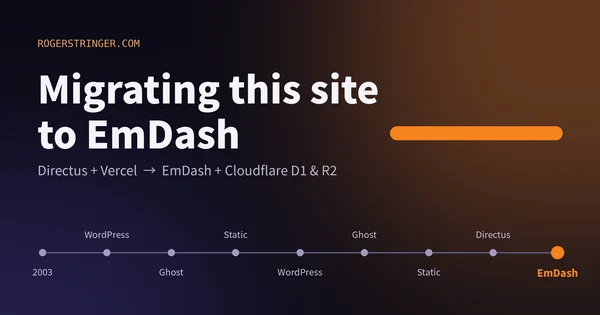
Migrating this site to EmDash
This site has changed CMS more times than I can count since 2003. This time I moved to EmDash on Cloudflare, and the reason is that most of my building now happens alongside an AI agent.
Read more Roger Stringer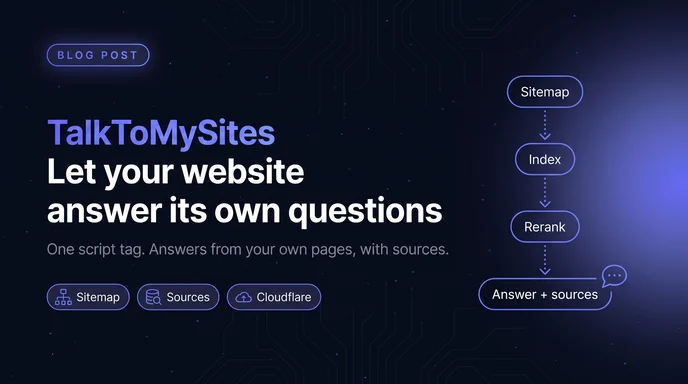
Every site I run has the same problem. The answer is already on the site. The pricing page explains billing. The docs explain setup. The FAQ covers the weird edge cases. People still email me, because finding the right paragraph on the right page is work, and nobody wants to do it.
The pieces to fix that have been around for a while: a crawler, an embedding model, a vector index, a language model and a little chat widget. Wiring them together is a weekend project. I know, because I've done it more than once. Keeping it running is the part that never ends. Re-indexing when pages change. Stopping some stranger from copying your widget onto their site and running up your bill. Making sure the thing doesn't just make stuff up.
So I built it once, properly, as a hosted service. That's Talk To My Sites.
You give it your domain and your sitemap. It crawls every page, strips out the navigation and footer noise, splits each page into sections and indexes them. When it's done, you paste one script tag into your site.
From then on, visitors get a chat button. They ask in their own words, the answer streams in as it's written, and the pages it came from are linked underneath. That last part matters most to me. An assistant is only useful if people trust it, and the fastest way to lose that trust is a confident answer that turns out to be invented. So the rule is simple: answer from your pages, and show which ones.
Most of the chat widgets I looked at want to be a support platform. Ticketing, live agent handoff, a CRM, a bot builder with a flowchart editor. That's fine if you need all of it. I didn't.
I wanted three things. Answer questions from what's already on the site. Link to the source so people can check. Tell me what people asked that the site couldn't answer.
So, like Get Butters, it's small on purpose.
This is it:
<script
  src="https://app.talktomysites.com/widget.js"
  data-site-id="YOUR_SITE_ID"
  data-color="#4F46E5"
  defer
></script>
No build step, no npm package, no API key in your frontend. The widget is under 10 KB of plain JavaScript, it loads after your page, and it renders inside a Shadow DOM, so your CSS can't break it and its CSS can't break yours. Everything you'd want to tweak is a data attribute on that tag.
If your site has a sitemap and somewhere to put a script tag, it works. WordPress, Webflow, Shopify, Next.js, a docs generator, hand-written HTML. Sitemap indexes and gzipped sitemaps are fine too.
Most of my sites are Astro, so the tag goes in the base layout once and every page gets it:
---
// src/layouts/Base.astro
const siteId = import.meta.env.PUBLIC_TTMS_SITE_ID;
---
<html lang="en">
  <body>
    <slot />
    {siteId && (
      <script
        is:inline
        src="https://app.talktomysites.com/widget.js"
        data-site-id={siteId}
        data-color="#4F46E5"
        defer
      ></script>
    )}
  </body>
</html>
is:inline tells Astro to leave the tag alone instead of trying to bundle a remote script. Gating it on the env var means local dev and preview builds don't burn questions unless I want them to.
Everything runs on Cloudflare. Workers for the API and the crawler, Workers AI for the models, Vectorize for search, D1 for everything else. There's no separate vector database, no GPU box, and no OpenAI key to manage. That's what makes a free plan possible.
The pipeline, roughly:
bge-small-en-v1.5 and into Vectorize. Every site gets its own namespace, so one site's search can never return another site's pages.bge-reranker-base re-order them by how well they actually answer it. Keep the top four, with no more than two from any one page, so the sources stay varied.llama-3.1-8b-instruct with short, strict instructions: answer only from these excerpts, say so when they don't cover it, and reply in the visitor's language.The reranker is the part I'd tell anyone building their own to not skip. Vector search is fast but blunt. It finds things that sound like the question. The reranker finds things that answer it.
There's a longer walkthrough on the Talk To My Sites blog: How TalkToMySites answers from your pages.
A widget on a public page is an open door, so a few things sit in front of the model. Each widget only accepts requests from its registered domain. Each visitor gets 20 questions a minute, and each site 300. Monthly limits are tracked per organization, so you always know where you stand.
The questions list in the dashboard turned out to be the most useful thing in the whole app.
Search boxes match words. People ask questions. When you can read the questions, you find out what your site is missing, what's buried three clicks deep, and what's just confusing. The ones the assistant can't answer are basically a to-do list for your next page. I wrote that up as a fifteen-minute weekly routine on the Talk To My Sites blog.
Three plans, and you pay for questions, not seats:
Every plan gets the widget, sources on every answer, the dashboard and team access.
It's still small on purpose, and I'd rather add the right things slowly than bolt everything on at once.
If you've got a site with a sitemap, try it free. It takes about five minutes to see your own pages answering questions. And if there's something you'd want from it, let me know.
This site has changed CMS more times than I can count since 2003. This time I moved to EmDash on Cloudflare, and the reason is that most of my building now happens alongside an AI agent.
Read more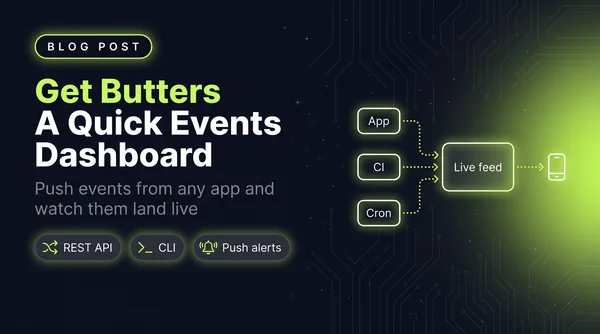
I wanted a simple dashboard that showed me events as they happened, so I wrote a quick little Astro app. It grew into Get Butters: a real-time event feed with a REST API, a CLI, insight cards and push alerts.
Read more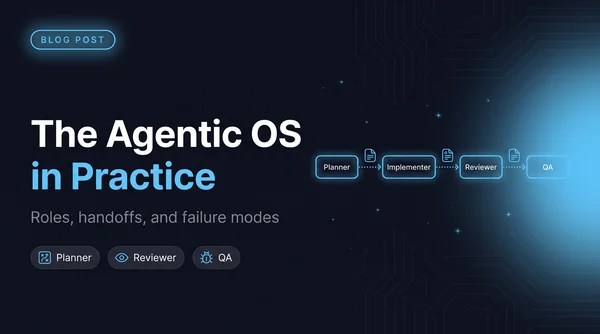
Once four agents can edit the same repo, architecture stops being the hard problem and coordination starts. The five roles I run and what each one is forbidden to touch, why every handoff goes through a file, a worktree script so agents stop racing, and the failure modes worth naming.
Read more