Field Guides Tagged as "AI"

AI engineering, models, and building AI-powered apps.

← All field guides

AI Project Management: Shipping Software When Agents Write the Code

AI Project Management: Shipping Software When Agents Write the Code

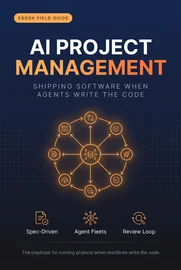
Something strange happened to my job this year. The typing got cheap. An agent can turn a paragraph of intent into a working pull request while I refill my coffee, and yet the projects did not get faster. Not really. More code shipped, more PRs merged, and somehow the same features took roughly the same number of weeks to actually land. That gap is what this guide is about. When machines write the code, the scarce thing is no longer the writing. It's the specifying, the slicing-up, and the reviewing. Project management stopped being about handing out work and started being about feeding agents instructions clear enough that their output is worth keeping, then catching the parts that aren't. I've been running this way for a while now: specs before code, work cut into agent-sized pieces, a small fleet on separate worktrees, and a review loop that assumes the machine got something subtly wrong. This is the playbook I wish someone had handed me. It covers spec-driven development, decomposition, acceptance criteria an agent can test against, parallelism without chaos, the review loop, governance for code you didn't write, and the handful of metrics that tell you whether any of it is actually working. It's written for engineers and tech leads who already use agents to write code and want to run real projects with them, not demos. _This is a living document and will be updated as the tools and the workflows keep evolving._

Read guide
Mastering Hermes

Mastering Hermes

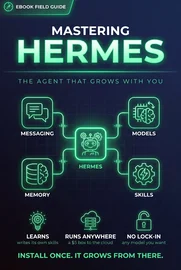
Most of this series treats Hermes as the place its ideas land. Building Your Agentic OS pivots to it, Running the Fleet orchestrates on it, Self-Hosting the Agentic Stack deploys it. What none of them do is sit down and cover Hermes itself, the whole thing, every feature, the way I'd walk a competent developer through a tool they've never run in anger. That's this guide. Hermes is Nous Research's open-source, self-hosted agent, the one with a built-in learning loop: it writes its own skills from experience, curates its own memory, searches its own past conversations, and builds a deepening model of who you are across sessions. It installs with one command, runs on a five-dollar box or a GPU cluster, talks to whatever model you point it at, and you can message it from Telegram while it works on a cloud VM. That surface is a lot bigger than the rest of the series has needed to show. So here we go wide instead of deep: install and first contact, the model layer and Nous Portal, the terminal interface, the messaging gateway across six platforms, the six places it can run, the learning loop, context files and personality, tools and toolsets, MCP, scheduled automations, delegation and subagents, the security model, day-two operations, and migrating in from OpenClaw. Where a topic has its own field guide in this series, I point you there instead of repeating it. This is the manual that ties the rest together. _This is a living document and will be updated as Hermes updates._

Read guide
Agent Memory: A Field Guide

Agent Memory: A Field Guide

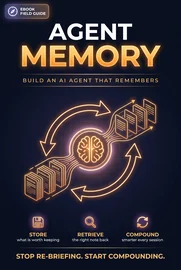
Two people give the same agent the same task and get wildly different results. Most of the time it isn't the prompt. It's that one of them gave the agent a memory and the other is re-explaining themselves at the start of every session. A model is stateless by default: brilliant for ninety seconds, then a blank slate. Memory is the layer that turns a clever one-off into a teammate that knows your codebase, remembers the decision you made last week, and gets better the longer it works with you. This is a field guide to building that layer on purpose. We start with why agents forget and the taxonomy that makes the rest make sense (working, episodic, semantic, procedural memory) then build it the way you actually should: plain files first, one fact per file, before any vector database. From there we get into the parts everyone underestimates: deciding what's even worth remembering, getting the right memory back out (retrieval is the hard half), and what to do when a memory goes stale and starts lying to you. We cover the scoping decisions, shared brain vs. per-agent, per-user vs. per-project, the read-before-act / write-after loop that makes memory compound, and when to graduate from files to a real store with versioning and redaction. It's a companion to [Building Your Agentic OS](/guides/building-your-agentic-os) and [Running the Fleet](/guides/running-the-fleet), where those build the system around the agent, this one goes deep on the single pillar that most changes how an agent feels to work with. By the end you'll have a memory you can stand up this afternoon, and the judgment to know what to put in it and what to leave out. _This is a living document and will be updated as the tools and patterns evolve._

Read guide
The Agentic Playbook

The Agentic Playbook

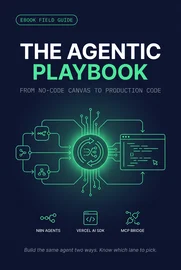
Everyone agrees you should be building agents. Nobody agrees on how. One camp says drag nodes on a canvas and ship this afternoon. The other says real agents live in code, in your repo, behind your own API. They're both right, and the argument is a distraction: the loop is the same either way. A model, a set of tools, a memory, and a stopping condition. Once you see that, the question stops being "which side is right" and becomes "which lane fits this job." This playbook walks both lanes properly. The first half builds agents in n8n: the AI Agent node, tools it can actually call (including MCP servers), memory and RAG on the canvas, human approval gates, multi-agent patterns, and the Evaluations feature that tells you whether any of it works. The second half builds the same ideas in TypeScript with the Vercel AI SDK inside an Astro site: a streaming chat endpoint, real tool definitions with schemas, the ToolLoopAgent, approval gates in code, structured output, and MCP as the bridge that lets your n8n workflows and your code agents share the same tools. It pairs with [Mastering n8n](/guides/mastering-n8n) (which covers hosting and hardening the platform itself) and [Roll Your Own Coding Agent](/guides/roll-your-own-coding-agent) (which builds the raw loop from nothing), and once you're shipping agents, [QA in the Era of AI](/guides/qa-in-the-era-of-ai) shows what happens when you point them at your test suite. This one is about shipping: picking a lane, building the agent, and knowing when to switch lanes as the job outgrows the canvas. _This is a living document and will be updated as the tools and patterns evolve._

Read guide
QA in the Era of AI

QA in the Era of AI

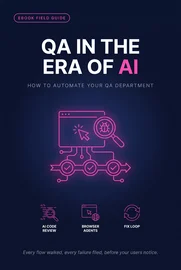
I've worked at companies with entire QA departments: rooms of people clicking through the same flows before every release, filing tickets, arguing about repro steps. Most of that job is now something you can wire up. Not because testing got less important, but because agents got good at exactly the parts that burned humans out: reviewing every pull request, walking the same three flows every morning, catching the console error nobody looked for, filing the ticket with the screenshot actually attached. This guide is the system for doing that on purpose. It started with [a post about my dialer QA bot](/blog/how-to-use-claude-code-to-qa-your-website), where Claude Code drives a browser through real call flows and files GitHub issues for whatever breaks. Here we build the whole department around that idea: AI code review as the first gate (and the real tradeoffs between the tools), agents that write tests plus the mutation-testing trick that keeps those tests honest, browser agents that smoke-test every preview deploy, visual and accessibility passes, and the loop that turns every failure, from staging or production, into a filed issue that another agent fixes. (And if you want to build agents like these yourself, that craft is [The Agentic Playbook](/guides/the-agentic-playbook); this guide is about putting them to work.) And because I'd rather you trust this thing for the right reasons, we spend real time on where it breaks: agents that pass tests they should fail, self-healing tools that heal around genuine bugs, prompt injection hiding in the very pages your QA agent reads, and the work that still belongs to a human with product judgment. The goal isn't zero humans. It's humans doing the 30% that was always the actual job, with a tireless department underneath them. _This is a living document and will be updated as the tools and patterns evolve._

Read guide
Self-Hosting the Agentic Stack: A Field Guide

Self-Hosting the Agentic Stack: A Field Guide

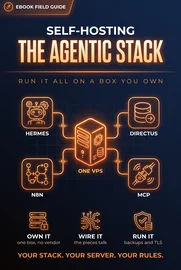
You can build all of this on someone else's servers. Rent an agent platform, a managed database, a hosted automation tool, pay per task, and watch your data flow through systems you don't control. Or you can run the whole thing on one box you own. This guide is about the second option: standing up a complete agentic stack on a single VPS, where Hermes runs your agents, Directus is your data and content layer, n8n handles the automation and glue, and MCP connects it all to the outside world. One server, no per-task billing, no vendor sitting between you and your own data. This is the flagship that ties the series together. The other guides built the pieces; this one wires them into a system you operate. And we do it the easy way, with Coolify, an open-source self-hosted platform that manages Docker for you, handles TLS and backups, and ships one-click templates for n8n, Directus, and Hermes, so you spend your time on the parts that matter instead of hand-writing infrastructure. We start with why self-hosting is worth it (and honestly when it isn't), get Coolify onto a box, then deploy each layer in turn: the data and content layer, the automation engine, the agent runtime, and the MCP servers that give your agents real tools. Then we wire them into one system and cover the production realities Coolify mostly hands you, TLS, backups, secrets, and the host security and upkeep that stay your job. It builds directly on [The Boring Stack](/guides/the-boring-stack), [Mastering Directus](/guides/mastering-directus), and [Mastering n8n](/guides/mastering-n8n), plus the agent guides in this series. By the end you'll have the whole stack running on hardware you control, doing real work, on your terms. _This is a living document and will be updated as the tools and patterns evolve._

Read guide
Agent Guardrails: A Field Guide to Safety & Permissions

Agent Guardrails: A Field Guide to Safety & Permissions

Everyone wants an agent they can let run. Hand it a goal, walk away, come back to finished work. The thing standing between you and that is trust, and trust isn't something you get by hoping the model behaves. You get it by building guardrails: the sandboxes, permission gates, and human checkpoints that make it safe to give an autonomous agent real reach. An agent you have to watch every second isn't saving you any time. Guardrails are what let you stop watching. This is a field guide to building them. We start from the uncomfortable truth that an agent is non-deterministic, can be steered by the untrusted text it reads, and will eventually do something you didn't predict, so safety has to be a property of the system around it, not a promise from the model. Then we build the layers: containing the blast radius with a sandbox, sorting actions by how badly they can go wrong, gating the risky ones with permissions, and putting a human in the loop exactly where it counts and nowhere it doesn't. We cover prompt injection (why your agent can be turned against you by a web page) and how to defend against it, and we close on the failure modes and a checklist. It's the counterweight to the rest of this series. The other guides are about making an agent more capable and more autonomous; this one is about doing that without handing it a loaded gun. Get it right and you can finally let the thing run. _This is a living document and will be updated as the tools and patterns evolve._

Read guide
Agent Skills: A Field Guide to the Third Pillar

Agent Skills: A Field Guide to the Third Pillar

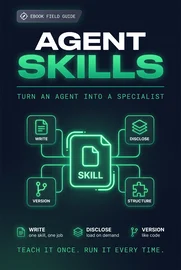
Your agent can write code. But does it know how your team cuts a release? Can it run your incident playbook the same way twice, or does it improvise something a little different every time? That gap, between raw capability and a repeatable way of doing one specific job, is exactly what skills fill. A skill is procedural memory you write down once: a packaged, reusable how-to that the agent loads when it's relevant and runs the same way every time. This is the third leg of a trilogy with [Agent Memory](/guides/agent-memory-field-guide) and [The Agent's Self](/guides/agent-self-personality-identity), the three pillars from [Building Your Agentic OS](/guides/building-your-agentic-os). Identity is who the agent is, memory is what it knows, skills are how it does things. We start with what a skill really is, and what it isn't, then build one from a plain folder and a single file. We dig into the two halves of the craft that actually matter: writing a description that makes the agent reach for the skill at the right moment, and writing a body that makes it succeed once it does. We cover progressive disclosure (why the whole skill isn't sitting in context all the time), how to tell a skill apart from a memory or a tool, and how to version and share skills across a fleet without letting them rot. By the end you'll be able to take a capable, general-purpose agent and turn it into a specialist that does your specific jobs your specific way, on demand, every time. _This is a living document and will be updated as the tools and patterns evolve._

Read guide
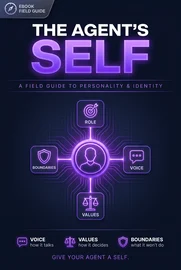
The Agent's Self: A Field Guide to Personality & Identity

The Agent's Self: A Field Guide to Personality & Identity

Give two people the same agent and the same task and you'll often get two different results. The usual assumption is that the better result came from a better prompt. Just as often, it came from a better-defined _agent_, one with a stable identity underneath the prompt: a voice it keeps, values it decides by, a role it stays inside. The other person is re-establishing who the agent is supposed to be at the start of every session, and it shows. Identity is the pillar people skip. They pour effort into memory and tools and leave the agent's _self_ to whatever the base model defaults to, which is how you end up with the same bland, hedge-everything, sounds-like-every-other-AI assistant no matter what you bolt onto it. This is a field guide to building the self on purpose: the constitution that anchors it, the voice that makes it recognizable, the values that steer it when the task is ambiguous, and the boundaries that give it a shape at all. We keep it in plain files (legible, versioned, portable), scale it across a fleet where every agent is a distinct citizen with shared values, and, the hard part, evolve a self over time without it drifting into someone else. It's the third leg of a trilogy with [Agent Memory](/guides/agent-memory-field-guide) and the skills pillar, all introduced in [Building Your Agentic OS](/guides/building-your-agentic-os): identity is the _who_, memory is the _what-happened_, skills are the _how_. Get identity right and the agent stops feeling like a tool you operate and starts feeling like someone you work with. _This is a living document and will be updated as the tools and patterns evolve._

Read guide
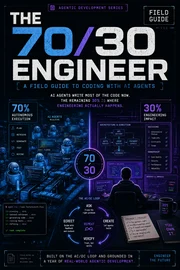
The 70/30 Engineer

The 70/30 Engineer

The machine does about 70% of the typing now. That part is real, and it's not going back in the box. But the work that's left (guiding the agent, verifying what it produces, and owning the result) is the other 30%, and it turns out that 30% is the entire job. This is a field guide to working that way on purpose: a real, adoptable workflow for coding with agents, built on the AC/DC loop (Guide, Generate, Verify, Solve), grounded in what a year of agentic development actually taught the industry, the wins, the data, and the failure modes nobody likes to talk about. It's for the engineer who wants to be faster without shipping 1.7x more bugs to prove it.

Read guide
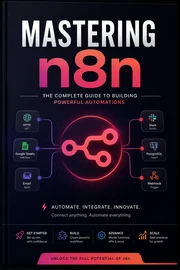
Mastering n8n

Mastering n8n

If Directus is the first thing I stand up on a new project, n8n is the second. It's the workflow automation tool I reach for whenever something needs to talk to something else, webhooks, scheduled syncs, API orchestration, and increasingly, AI agents that actually do work instead of just chatting. The pitch is simple: a visual canvas where each node is a step, the data flows down the chain, and you can drop into real JavaScript any time the visual builder runs out of road. Self-host it on a single box, point it at Postgres and Redis, and you've got a durable automation engine you fully own, no per-task pricing, no vendor watching your data go by. This is the guide I'd hand a developer who's tired of gluing services together by hand: how to self-host n8n properly with Docker and queue mode, how the data model and expressions actually work, how to handle errors like you mean it, how to build real AI agents with the LangChain nodes, and how to wire it up to Directus so the two cover each other's weak spots. _This is a living document and will be updated as n8n updates._

Read guide
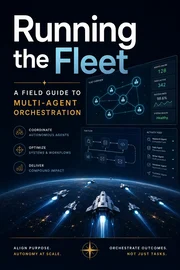
Running the Fleet: A Field Guide to Multi-Agent Orchestration

Running the Fleet: A Field Guide to Multi-Agent Orchestration

You built one agent that knows you cold. Its own personality, a memory that survives, skills it runs your way. It's a great employee. It's also still one employee, doing one thing at a time, waiting on you to hand it the next task. This guide is about the next move: turning that single agent into a coordinated fleet that plans, executes, and monitors real goals while you supervise instead of operate. It's the deep-dive sequel to [Building Your Agentic OS](/guides/building-your-agentic-os), where that guide ended by pointing at the horizon, this one walks the whole distance. We build it on Hermes, because Hermes already ships the hard parts: profiles (every agent a full citizen with its own identity and memory), a durable kanban board that coordinates them, a decomposer that routes a dropped-in goal to the right specialists, and a way to package a whole agent as a git repo and hand it to your team. Concrete throughout, honest about the sharp edges, and built so the foundation you already laid is exactly what scales up.

Read guide
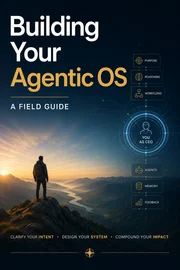
Building Your Agentic OS: A Field Guide

Building Your Agentic OS: A Field Guide

Two people can use the exact same AI agent and get wildly different results. It's almost never the prompting. One of them built a system underneath the tool (a layer that gives the agent a persistent identity, a real memory, and a set of skills it runs the same way every time) and the other is still re-explaining themselves at the start of every session. This is a field guide to building that system, in three moves. First, the OS itself: a plain-files architecture you can stand up this afternoon on whatever agent you already use, built around three pillars, personality, memory, and skills. Second, the pivot, graduating that static setup onto Hermes, Nous Research's open-source, self-hosted agent, so the files stop being a brief you read aloud and become a teammate that runs on its own. And third, where it's all heading: coordinating many agents to plan, execute, and monitor real goals, with the orchestration, shared memory, and governance that make a true agentic OS. Everything here is portable by design, and you build it one working piece at a time, starting with a single agent that actually knows you.

Read guide
The AI-Era Fractional CTO's Field Guide

The AI-Era Fractional CTO's Field Guide

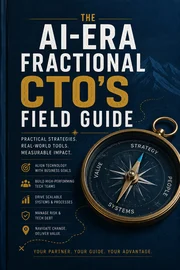
"Fractional CTO" has become one of those titles that means everything and nothing. If you're a founder, it's often unclear what you're actually buying, a part-time CTO? a fancy consultant? a cheaper hire? And if you're an experienced engineer, it looks like an appealing way out of full-time employment, but with no real map for how to do it well. This guide is for both of you, a straight, advisory look at what the role actually is, when a company needs one, what it costs in 2026, and the AI and agentic-team leadership that increasingly defines the job.

Read guide
MCP from Scratch

MCP from Scratch

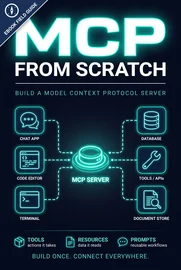
Every AI tool you've wired up by hand (the Slack integration, the database lookup, the "let the model read our docs" hack) is a one-off. You wrote the glue, you own the glue, and the next model or the next client can't use any of it. The Model Context Protocol is the fix: one open standard for how an AI app talks to your tools, your data, and your prompts, so you build the integration once and every MCP-aware client (Claude Code, Claude Desktop, Cursor, and a growing list) can use it. This is the guide I'd hand a competent developer who keeps hearing "MCP" and wants to actually build one instead of nodding along. We start from the problem it solves, get the mental model straight (hosts, clients, servers, and the three things a server exposes (tools, resources, prompts)) then build a real server from an empty folder: a tool the model can call, a resource it can read, a prompt it can reuse. We test it with the Inspector, wire it into Claude and Cursor, then take it remote over Streamable HTTP and talk honestly about the security boundary you're now responsible for. By the end you'll understand exactly what's happening when a model "uses a tool," and you'll have shipped a server you can point any MCP client at. _This is a living document and will be updated as the protocol and SDKs evolve._

Read guide